Skip to content

September 2026#

OpenVidu 3.9.0 is now available

OpenVidu 3.9.0 is a comprehensive collection of improvements, bug fixes, and stability enhancements. It brings a renovated OpenVidu Meet with programmatic control over live meetings, and a better OpenVidu Platform that behaves more predictably in production under network changes, high load and node restarts.

On the OpenVidu Meet side, the new Meetings REST API lets your backend read and moderate live meetings, and moderators can mute participants from the meeting itself. Webhooks can now be filtered per event and per room, and each room can set participant and duration limits, automatic recording and the initial state of microphones and cameras. Improved UI and a set of bug fixes complete this release.

On the OpenVidu Platform side, Live Captions add NVIDIA Nemotron, the most accurate of the local models, with 40 languages in a single model. The rest of the release is hardening work: mediasoup fixes for SVC video in VP9 and AV1, Firefox and ICE, graceful restarts that take half the time, and services that no longer make background calls to third parties.

Here are the highlights.
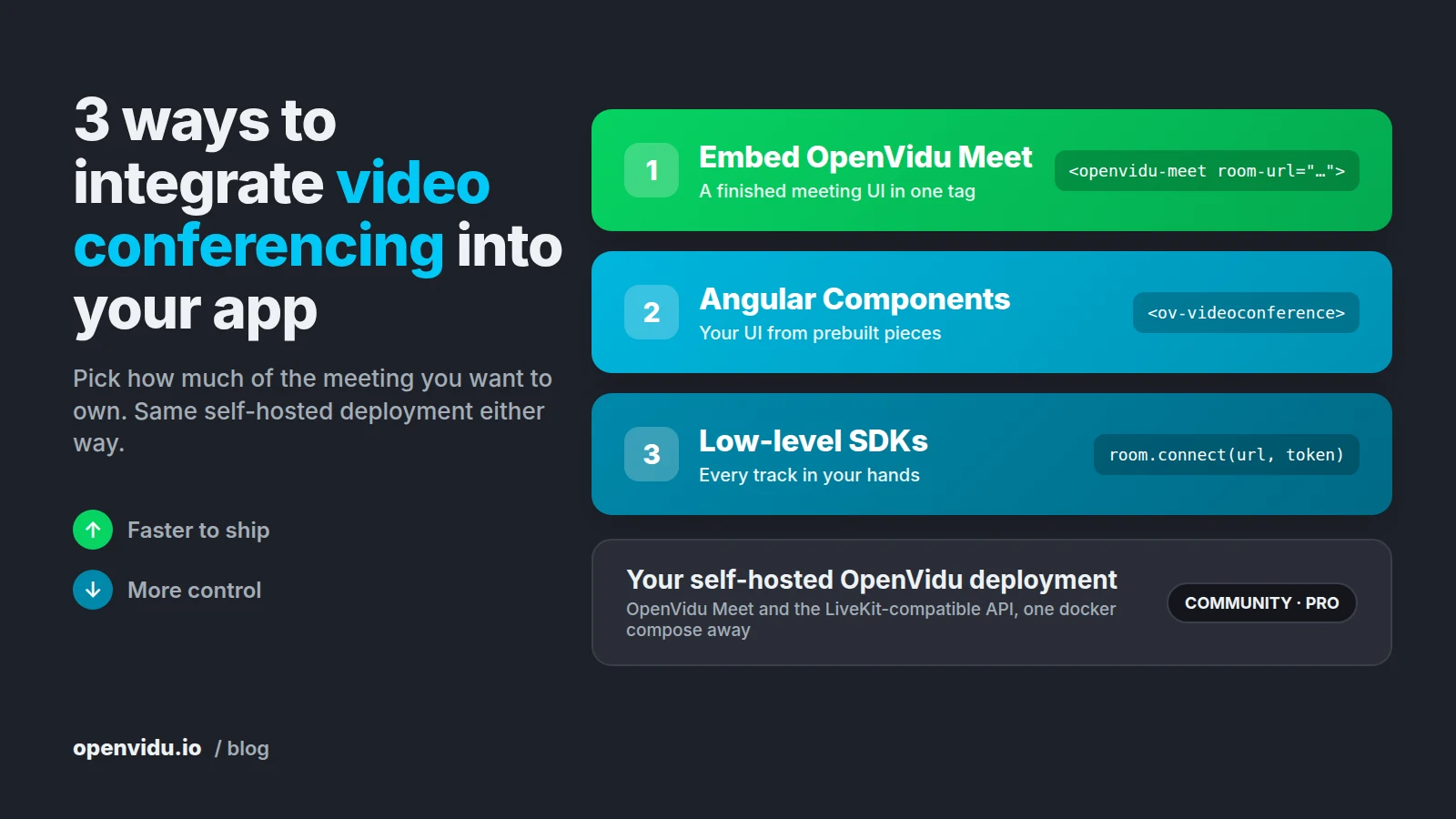
3 ways to integrate video conferencing into your app with OpenVidu

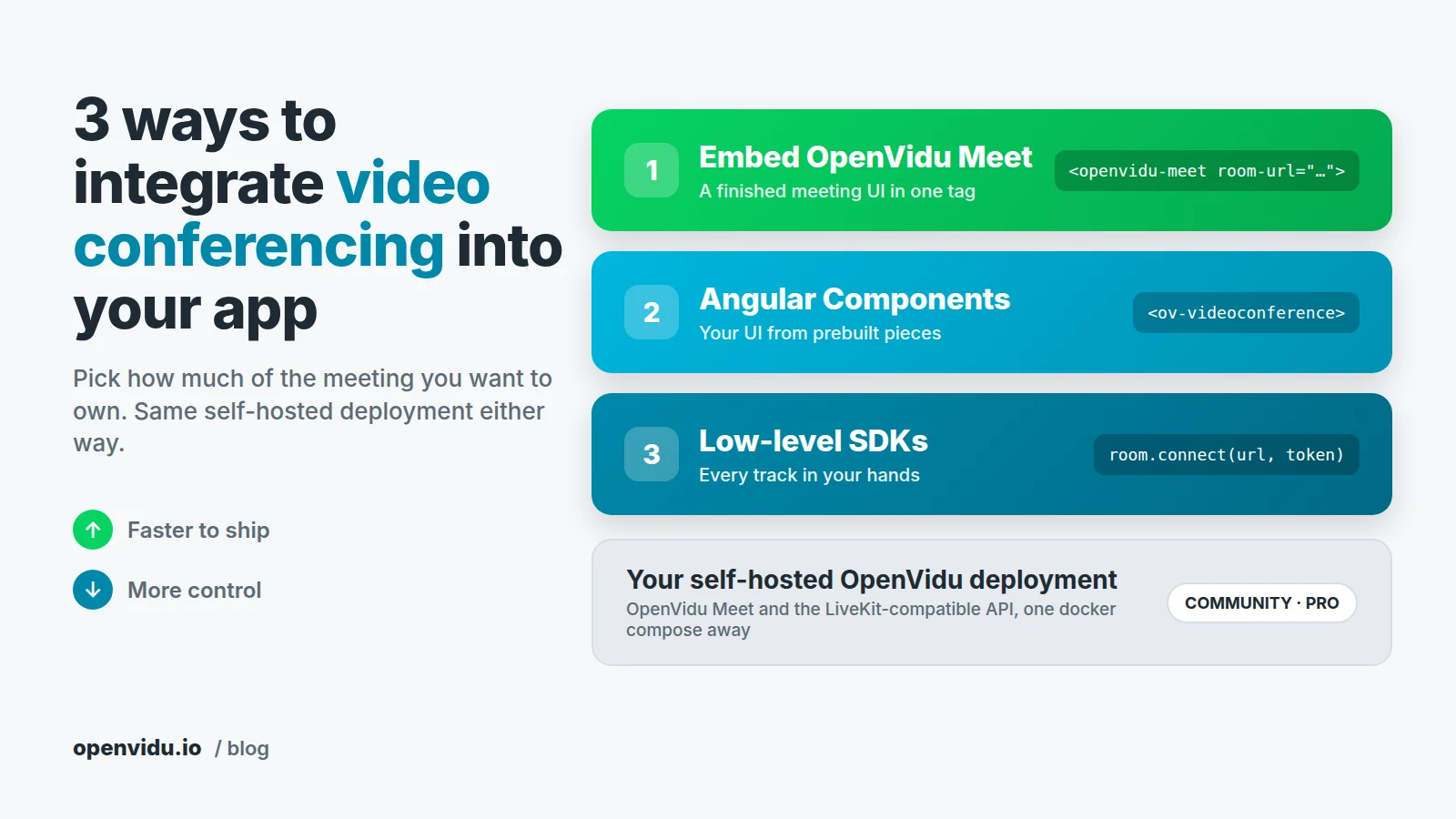
Three stacked integration levels, from embedding OpenVidu Meet to Angular Components to low-level SDKs, all running on one self-hosted OpenVidu deployment Three stacked integration levels, from embedding OpenVidu Meet to Angular Components to low-level SDKs, all running on one self-hosted OpenVidu deployment

Most products reach a point where a chat window or a phone number is no longer enough, and people need to see each other. Sooner or later the ticket lands on your board: "Add video calls to the app". The WebRTC part is a solved problem. The question that actually shapes the project is a different one: how much of the meeting do you want to own? The buttons, the layout, the media tracks themselves? Or just a <div> where a meeting shows up?

There are three ways to integrate video conferencing into your app with OpenVidu, and all of them run on the same self-hosted deployment. You can embed OpenVidu Meet, a finished meeting UI, with one HTML tag. You can assemble your own meeting screen from Angular Components. Or you can go down to the OpenVidu Platform SDKs and handle every audio and video track yourself.

How Novakid runs 30 million live English lessons on OpenVidu

Novakid and OpenVidu customer success story Novakid and OpenVidu customer success story

Running a live video product where the users are seven years old is a challenge. Adults may tolerate a frozen frame or a reconnect spinner, but a seven-year-old just gives up, and the parent doesn't book a second lesson. That's what Novakid , an online English school for kids aged 4–12, has been doing since 2017. Over a million students, 50+ countries, more than 30 million lessons delivered, and up to 2,300 lessons running at once at peak.

We talked to Andrei Iakimov, DevOps Lead at Novakid, Inc., about moving their live classroom off a self-managed Kurento deployment and onto OpenVidu: why they migrated, why they didn't take the SaaS path, what that migration actually looked like, how they built scheduled autoscaling on top of it, what broke (and got fixed) along the way, and what they value most of.

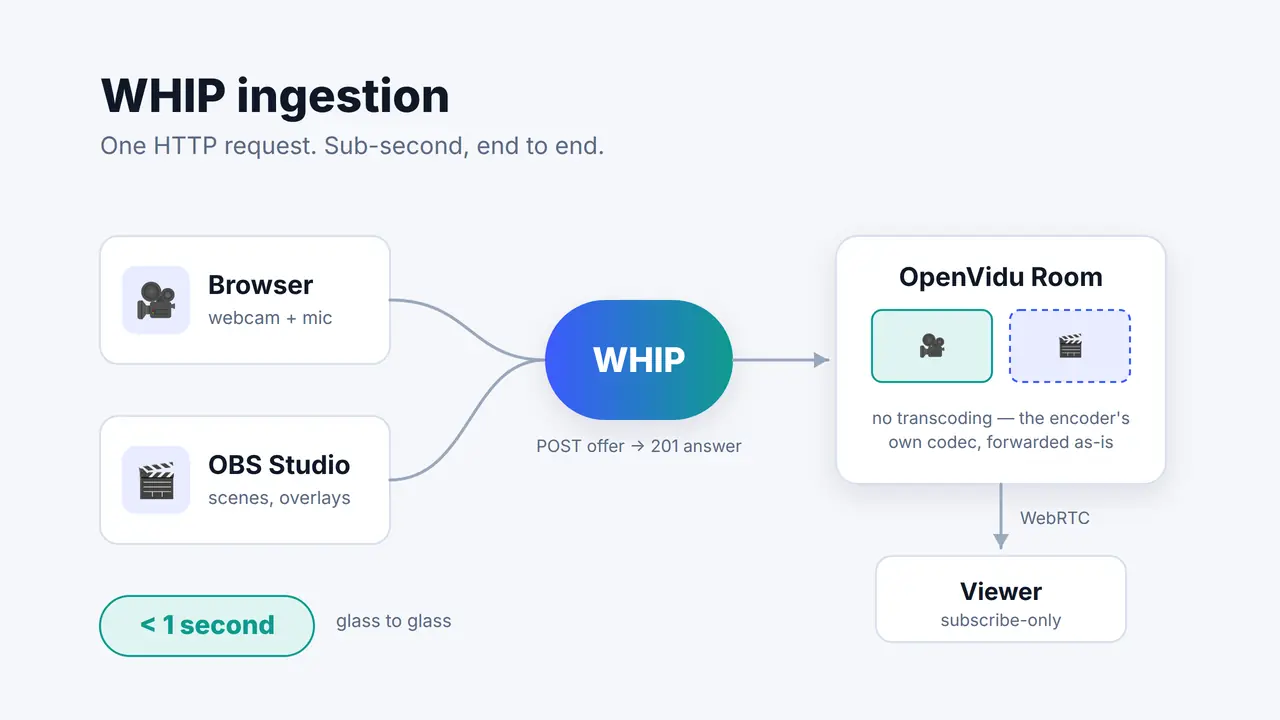
Low Latency Live Streaming: Ingest WHIP into OpenVidu (Part 2)

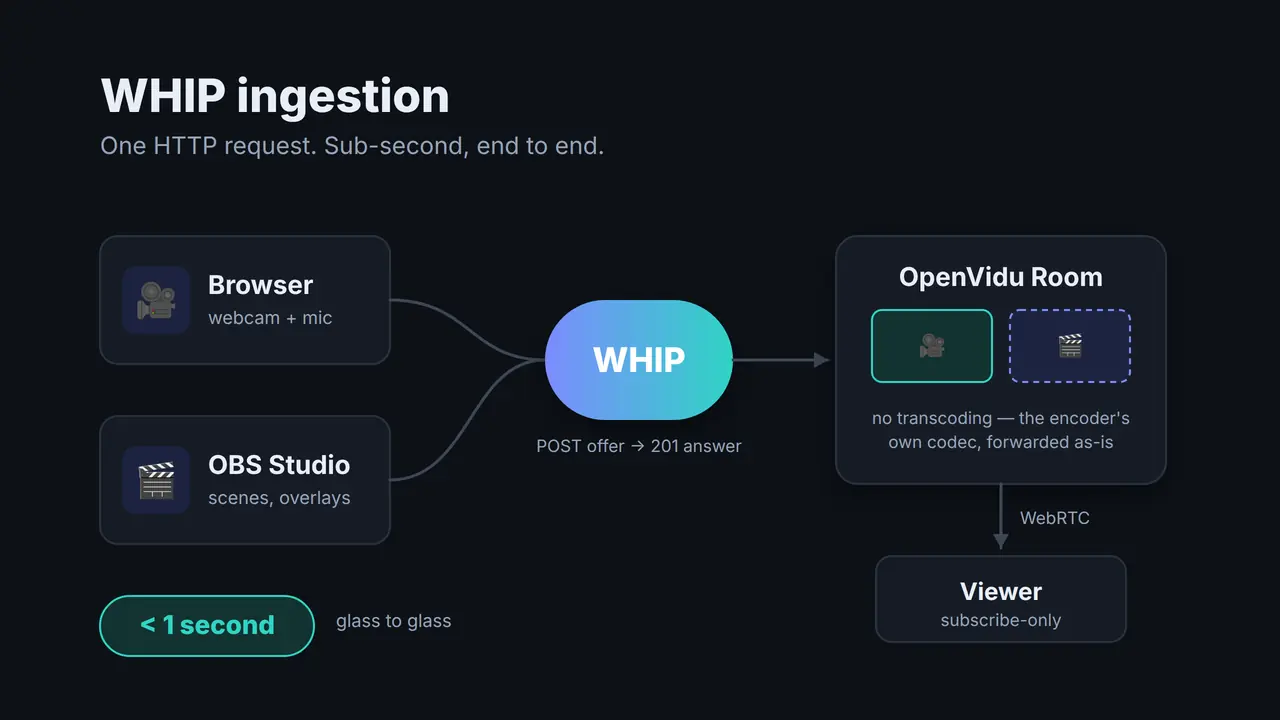
A browser and OBS Studio pushing video into an OpenVidu Room over WHIP, and a viewer subscribing to it A browser and OBS Studio pushing video into an OpenVidu Room over WHIP, and a viewer subscribing to it

Part 1 of this series argued that if your video has to close a feedback loop with the person watching it, HLS and DASH structurally can't get you there and WebRTC can. That's the theory, and theory is cheap. So let's do the thing itself: take a webcam, push it into a self-hosted OpenVidu Platform Room over WHIP, and watch it come out the other side fast enough to have a conversation through. Then do it again from OBS Studio, which has spoken WHIP natively since version 30 and needs no plugin, no SDK and no code at all.

Low Latency Live Streaming: WebRTC vs. HLS and DASH (Part 1)

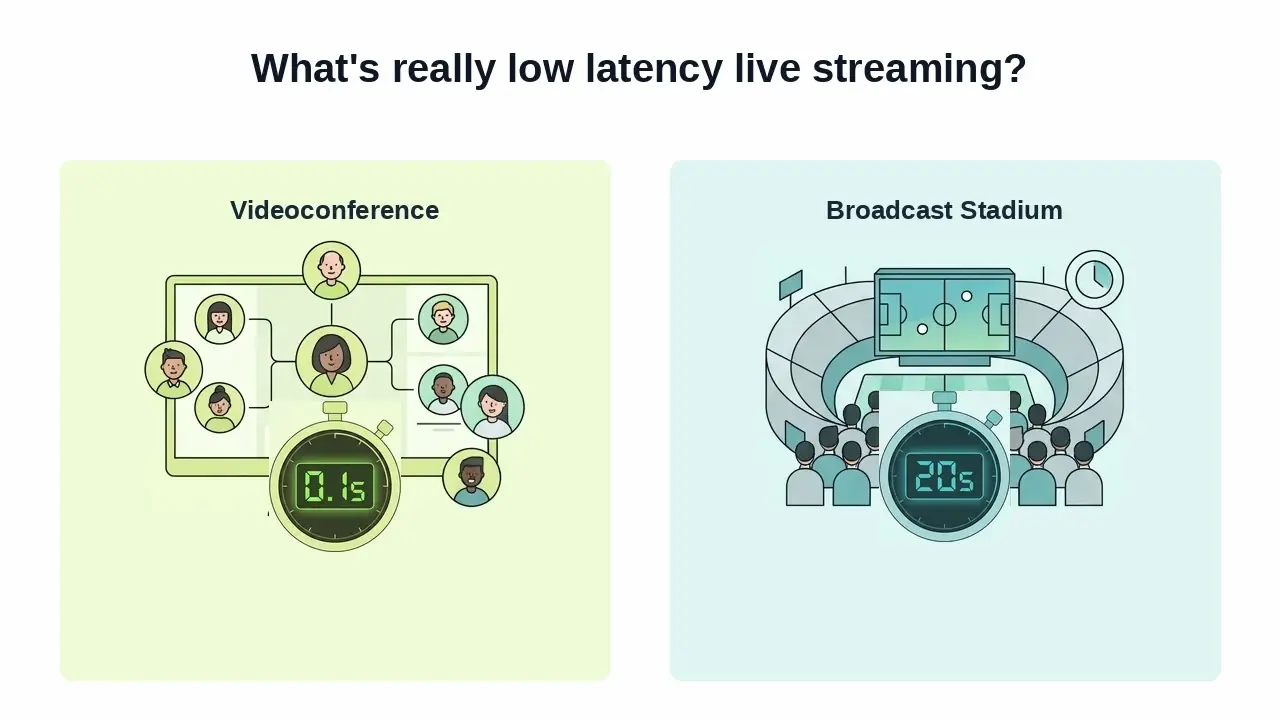
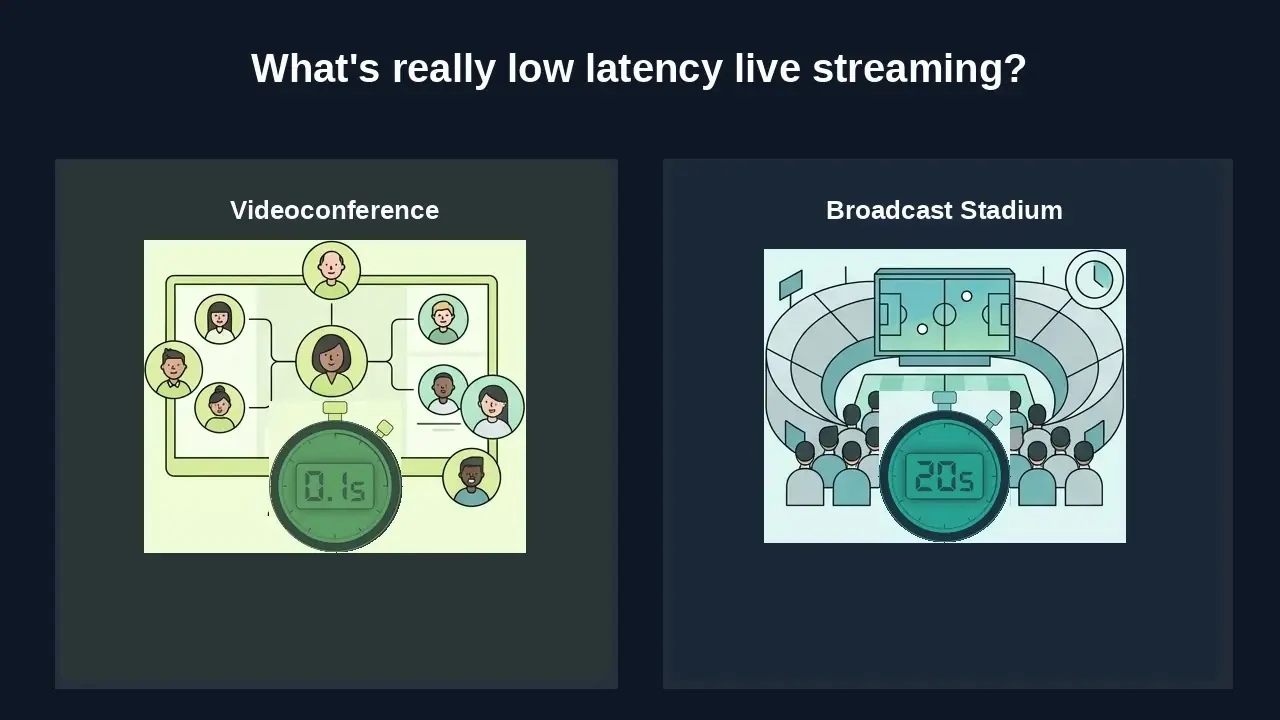
A split-screen graphic comparing a near-instant video call with a delayed live broadcast A split-screen graphic comparing a near-instant video call with a delayed live broadcast

When Spain was playing the World Cup, we noticed something annoying. We celebrated each of Spain's scores by shouting "GOOOOOL", 15 seconds before our neighbors saw the goal on their TV. Obviously, we ruined their experience watching the game, so much that they asked us where we were watching it from to avoid the gap. Now picture that same 15-second gap on a live shopping stream where you're typing "does it come in blue?", or in a video call where you keep talking over the other person because their audio hasn't reached you yet. That's the difference between "live" and low latency live streaming.