OpenVidu 3.9.0 is now available#
OpenVidu 3.9.0 is a comprehensive collection of improvements, bug fixes, and stability enhancements. It brings a renovated OpenVidu Meet with programmatic control over live meetings, and a better OpenVidu Platform that behaves more predictably in production under network changes, high load and node restarts.
On the OpenVidu Meet side, the new Meetings REST API lets your backend read and moderate live meetings, and moderators can mute participants from the meeting itself. Webhooks can now be filtered per event and per room, and each room can set participant and duration limits, automatic recording and the initial state of microphones and cameras. Improved UI and a set of bug fixes complete this release.
On the OpenVidu Platform side, Live Captions add NVIDIA Nemotron, the most accurate of the local models, with 40 languages in a single model. The rest of the release is hardening work: mediasoup fixes for SVC video in VP9 and AV1, Firefox and ICE, graceful restarts that take half the time, and services that no longer make background calls to third parties.
Here are the highlights.
OpenVidu 3.9.0 at a glance
- OpenVidu Meet: Meetings REST API, participant muting, multiple webhooks, join and leave webhooks, meeting limits, automatic recording and permissions enforced by the server.
- OpenVidu Platform: Nemotron for Live Captions, a more robust mediasoup integration, faster and steadier deployments, and no background calls to third parties.
- No breaking changes in either product.
OpenVidu Meet 3.9.0#
Moderate live meetings from your backend#
Until now, your backend could manage rooms, members and recordings, but a live meeting was out of its reach. The new Meetings REST API changes that. From your server you can:
- Read a meeting's live state and list its participants, with their role and media state.
- End the meeting for everyone.
- Kick, mute or promote any participant.
Requests authenticate with the API key, or with a room member token that limits them to what that member is allowed to do. Muting every microphone in a room takes a single call:
curl -X PUT "https://<your-openvidu-domain>/meet/api/v1/meetings/<room-id>/participants/media" \
  -H "X-API-KEY: <your-api-key>" \
  -H "Content-Type: application/json" \
  -d '{"audioActive": false}'
Replace <your-openvidu-domain> with the domain of your deployment, <room-id> with the ID of the room and <your-api-key> with an OpenVidu Meet API key. Moderation is one-way by design: you can turn a device off, never on. Moderators are never muted, and everyone else can turn their device back on.
Mute participants from the meeting#
The same power is now available inside the meeting. The Participants panel shows the microphone, camera and screen share state of everyone in the meeting, and moderators can mute one device of one participant, or turn it off for everyone at once. The affected participant is told that a moderator turned their device off.
Existing rooms need the new permission
Muting requires the new participantMute permission. The Moderator role of rooms created from 3.9.0 on has it by default, but rooms and members created before need it granted explicitly. See Muting participants.
Configure multiple webhooks#
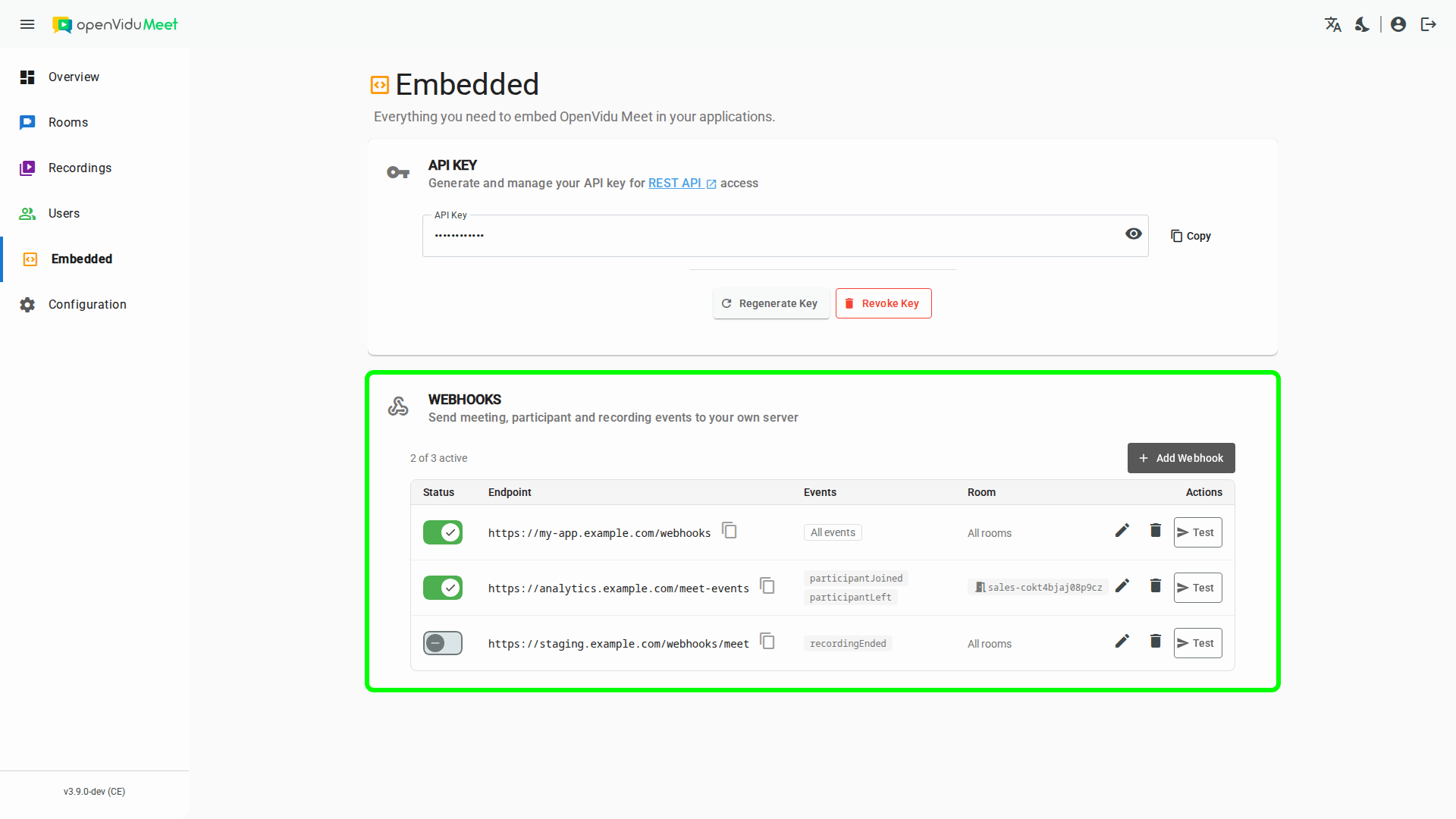
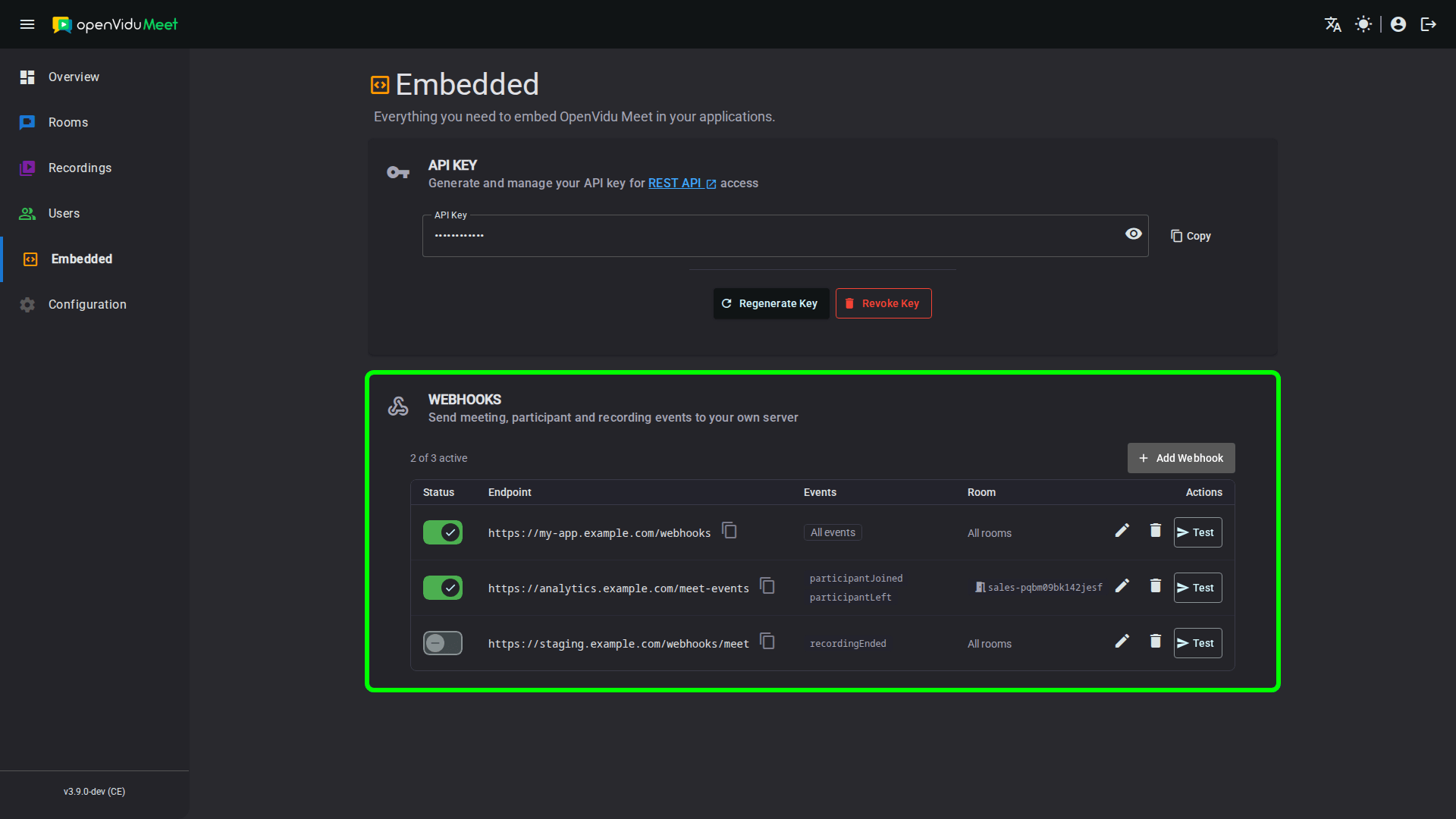
A single webhook endpoint works fine... until your billing service, your analytics pipeline and your CRM all want different events. OpenVidu Meet now supports multiple webhooks, each with its own event filter and room scope. Add, edit, pause and test them from the Embedded page of the OpenVidu Meet app, or manage them with the new /api/v1/webhooks REST API.
There are also two new events worth subscribing to: participantJoined and participantLeft. The second one carries the leave date, the time the participant spent in the meeting and the reason they left. Attendance reports and per-minute billing are now just a webhook away.
Custom rules and limits per room#
Rooms get a set of new settings that shape every meeting held in them. All of them are available in the room wizard and in the room config of the REST API:
- Participant limit: cap a meeting at anywhere from 1 to 30 participants. Anyone else trying to join is told the meeting is full.
- Duration limit: end meetings automatically after a set time, up to one day. Participants see a countdown before the end, and the
meetingEndedwebhook tells your application why the meeting ended. - Automatic recording: start recording when the first participant joins, when the second one joins, or when a moderator joins. Nobody has to remember to press the button.
- Initial microphone and camera state: have participants join with their microphone or camera off, which is perfect for classes and webinars. Embedded apps can override it per participant.
The details are in Meeting configuration and Recording trigger.
More control for embedded applications#
If you embed OpenVidu Meet in your own app, 3.9.0 gives you three new tools:
- Link participants to your own users with the
participant-external-idandparticipant-metadataattributes. OpenVidu Meet never interprets them, and hands them back asexternalIdandmetadatain participant payloads. - Control the local participant's media with the
mediaToggleAudio,mediaToggleVideoandmediaToggleScreenSharecommands. Matching status events report every change, and whether it came from the participant, a moderator or the system. - Know who comes and goes with the new
participantJoinedandparticipantLeftevents for remote participants.
Here is how they fit together:
<openvidu-meet
    room-url="<your-room-url>"
    participant-name="Alice"
    participant-external-id="user-1234"
    initial-video-active="false">
</openvidu-meet>
const meet = document.querySelector('openvidu-meet');

meet.on('participantJoined', (event) => {
    console.log(`${event.participant.participantName} joined`, event.participant.externalId);
});

meet.on('mediaAudioStatusChanged', (event) => {
    console.log(`Microphone ${event.active ? 'on' : 'off'}, changed by the ${event.origin}`);
});
<your-room-url> is any room access link. The complete list of attributes, commands and events is in the Web Component reference.
A clearer meeting for everyone#
Participants now see what matters without having to look for it:
- Status rail: a bar above the layout shows the recording indicator with its elapsed time, the time left before the duration limit, an encryption badge in end-to-end encrypted rooms, and how many participants the layout is not showing.
- "You're on mute!": yes, that one. Participants who speak with their microphone off are told so, and so are those whose microphone was muted by the operating system.
- Pinch to zoom on shared screens on touch devices.
- Small things that add up: a single permission prompt for camera and microphone, a faster meeting layout, and a local video tile that remembers whether you like it floating or docked.
Permissions the server enforces#
This one is invisible to participants, but it matters most. Three fixes close gaps where a participant could do more than they were allowed to:
- A participant could grant themselves moderator permissions by modifying their own role and identity data. Roles and permissions are now decided by the server alone.
- The
chatWritepermission was enforced only in the interface. It is now enforced by the media server. - Revoking a member's media permissions during a meeting now reaches the media server, so the participant actually stops publishing.
No breaking changes, but some deprecations#
3.9.0 renames several permissions, embedded commands and events to a consistent naming scheme: canRecord becomes recordingControl, joined becomes meetingJoined, and so on. The old names keep working until 3.12.0. Requests accept both, and responses and webhooks carry both, so you can migrate at your own pace.
One tip: every renamed event is emitted under both names, so listen to only one of them or your handler runs twice. The complete list is in the deprecations of the OpenVidu Meet release notes.
Bug fixes#
- Recording requests answer right away:
POST /api/v1/recordingsused to wait up to 20 seconds for a participant to publish media. It now answers as soon as the media server accepts the recording. - Closed rooms stay closed: a stale reconnection could reopen a room that had already been closed.
- Virtual backgrounds no longer freeze in Firefox and Safari: a virtual background or blur froze for the other participants when the sender's window was minimized or covered.
On top of the fixes, the openvidu/openvidu-meet Docker image is now 40% smaller.
OpenVidu Platform 3.9.0#
Nemotron, the most accurate Live Captions yet#
Live Captions get a new local model: NVIDIA Nemotron 3.5, available with the Sherpa provider. It is the most accurate local model OpenVidu supports, it transcribes 40 languages with a single model and automatic language detection, and it is designed to run on GPUs. A node with one NVIDIA T4 handles about 15 transcribed tracks, at a fraction of the CPU cost.
And because it runs on your own servers, no audio ever leaves your deployment. You get accurate, multilingual captions without a cloud provider in the loop. The capacity estimate compares it with every other local model, on CPU and on GPU.
Running smaller, single-language models instead? The Speech Processing agent can now run each Room in its own process and scale transcriptions across all the CPUs of the node. See Increasing capacity with smaller models.
Sherpa is part of OpenVidu PRO
The Sherpa provider, and with it Nemotron, is part of OpenVidu PRO. You can try it with a 15-day free trial by creating an OpenVidu account. Heads up for GPU users: CUDA 11 is deprecated, so use CUDA 12 compatible nodes.
mediasoup, from feature parity to battle-tested#
Release 3.8.0 brought mediasoup on par with Pion in features, while keeping its 2x performance. Release 3.9.0 is about how it behaves when things get messy:
- Smoother SVC video: VP9 and AV1 with SVC now switch layers correctly, and no longer stutter or freeze when a subscriber drops to a lower quality or the publisher stops sending one.
- No more Firefox freezes every time mediasoup probed the available bandwidth.
- Connections that survive network changes: a participant switching from Wi-Fi to cellular is no longer dropped while recovering the connection.
- UDP blocked? No problem: clients can now connect over ICE-TCP.
- Healthy participants stay put: a publisher with a bad network no longer marks its subscribers as lost. Since livekit-client 2.22.0, that bug triggered unwanted reconnections of perfectly healthy participants.
- Less wasted upload bandwidth: intentionally paused simulcast layers now stay paused after a renegotiation.
Deployments that restart faster and break less#
- Graceful restarts are 50% faster, from about 50 seconds to about 25, in every deployment type.
- Faster High Availability installations: roughly 50% faster on AWS, Oracle and GCP, and 20% on Azure. Installers also fail fast with a clear error instead of hanging.
- Ingresses survive restarts: Single Node and Elastic deployments now persist Redis data, so active RTMP and WHIP Ingresses are kept across graceful restarts.
- Steadier clusters: rare silent freezes, crash loops and connection leaks in Elastic and High Availability deployments are gone.
- Cloud improvements: Media Node auto-healing in Elastic deployments on GCP, user-assigned managed identities on Azure, and a DigitalOcean scale-in that never deletes a Media Node with active Rooms.
Private by default#
You self-host OpenVidu for a reason, and now it is quieter too. Egress, MongoDB, Grafana, Loki, Mimir and MinIO no longer send anonymous telemetry, check for updates or download plugins in the background. The only outbound connections left are the ones OpenVidu needs to work: license validation (PRO) and STUN for public IP discovery.
Along the same lines, IP camera passwords are no longer written to the Ingress logs, DigitalOcean deployments use a storage key scoped to their own buckets, and cloud templates no longer open port 9000.
And a lot more#
- Ingress: more reliable RTSP cameras (ONVIF metadata, backchannel audio...), audio-only SRT streams that actually start, and multi-track endpoints that ingest all their tracks.
- OpenVidu 2 compatibility: 11 fixes in the v2 compatibility module for recordings, broadcasts and IP cameras.
- Fresh dependencies: LiveKit v1.13.7, mediasoup 3.26.0, Egress v1.14.1, Agents v1.8.2, and new versions of MongoDB, Redis, MinIO and the whole observability stack.
Read the full Release Notes of OpenVidu 3.9.0#
This post only scratches the surface: the full release notes list more than 80 fixes and improvements across both products. If you run OpenVidu in production, we recommend reading them carefully to learn about all the benefits of upgrading: