OpenVidu Meet REST API reference#
Overview#
OpenVidu Meet provides a REST API for managing rooms, room members, meetings, recordings, users and webhooks programmatically from your application's backend. As a general rule, any action that is available in the OpenVidu Meet UI for these resources can also be performed using the REST API.
The available endpoints are:
/api/v1/rooms: manage rooms./api/v1/rooms/{roomId}/members: manage room members (users and identified guests of a room)./api/v1/meetings: read and moderate the live meeting of a room and its participants./api/v1/recordings: manage recordings./api/v1/users: manage users./api/v1/webhooks: manage the webhooks that receive event notifications.
Authentication#
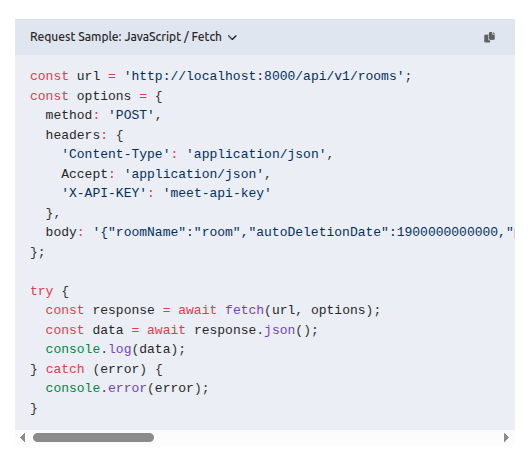
Any request to the OpenVidu Meet REST API must include a valid API key in the X-API-KEY header:
A request authenticated with the API key is not subject to any room member permission: it can do anything on any room. Some endpoints also accept the token of a logged-in user or of a room member (see the security schemes of each operation in the REST API reference ); such a request is then limited to what that user or member is allowed to do.
Permission names
Every operation on a live meeting and on its recordings is gated by one room member permission, named in the operation's description and listed in the MeetPermissions schema.
Generate an API key#
- Connect to OpenVidu Meet app at
https://YOUR_OPENVIDU_DEPLOYMENT_DOMAIN/meet. - Navigate to the "Embedded" page.
- Click on "Generate API Key" button.
Reference#
You can access the REST API reference documentation at:
- OpenVidu Meet REST API Reference
- Your own OpenVidu Meet deployment serves the documentation at
https://{{ your-openvidu-deployment-domain }}/meet/api/v1/docs/
Code snippets#
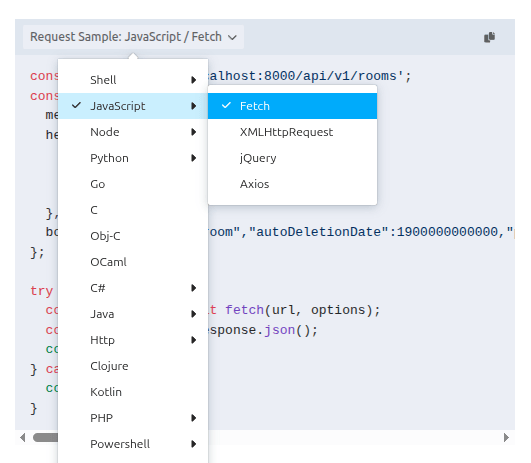
The reference documentation provides code snippets for each REST API method. You can choose from countless languages and frameworks and copy-paste directly to your code.
Testing API Endpoints#
When accessing the REST API documentation from your own OpenVidu Meet deployment at https://{{ your-openvidu-deployment-domain }}/meet/api/v1/docs/, you can test every endpoint directly from the browser. This is a great way to explore the API's body requests and responses.
Just configure a valid API key in the X-API-KEY header input.