Low Latency Live Streaming: Ingest WHIP into OpenVidu (Part 2)#
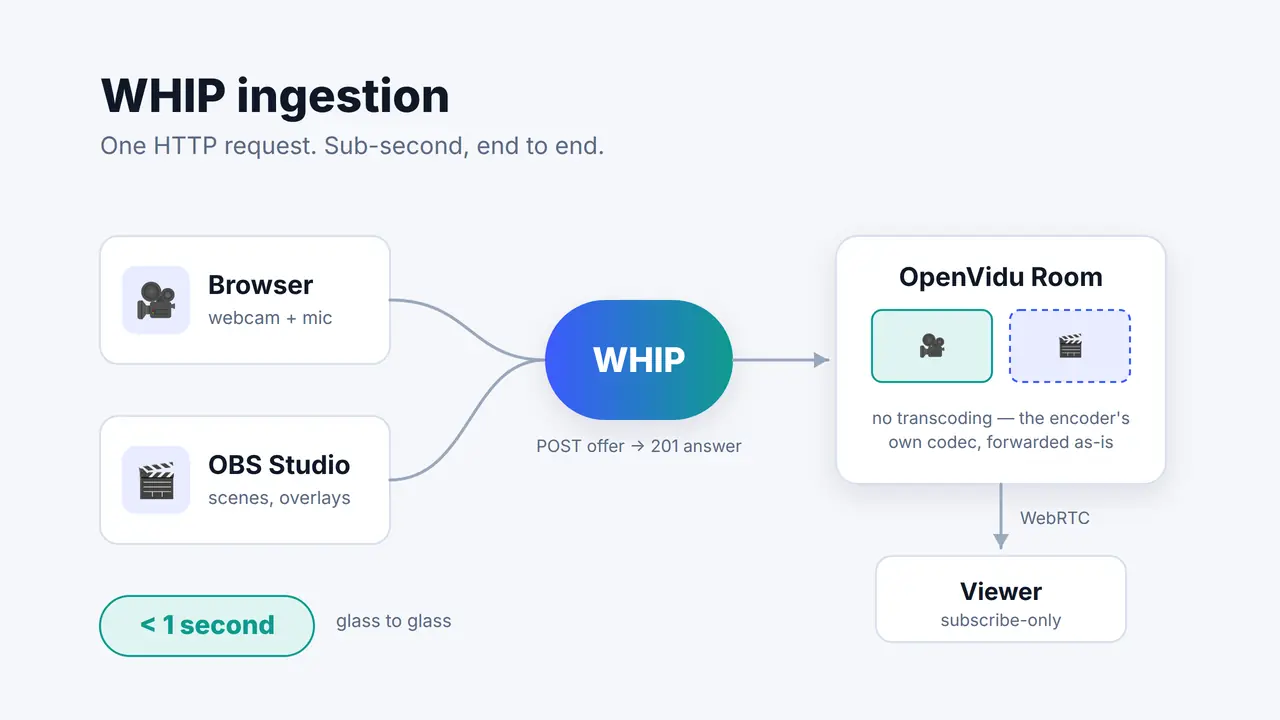
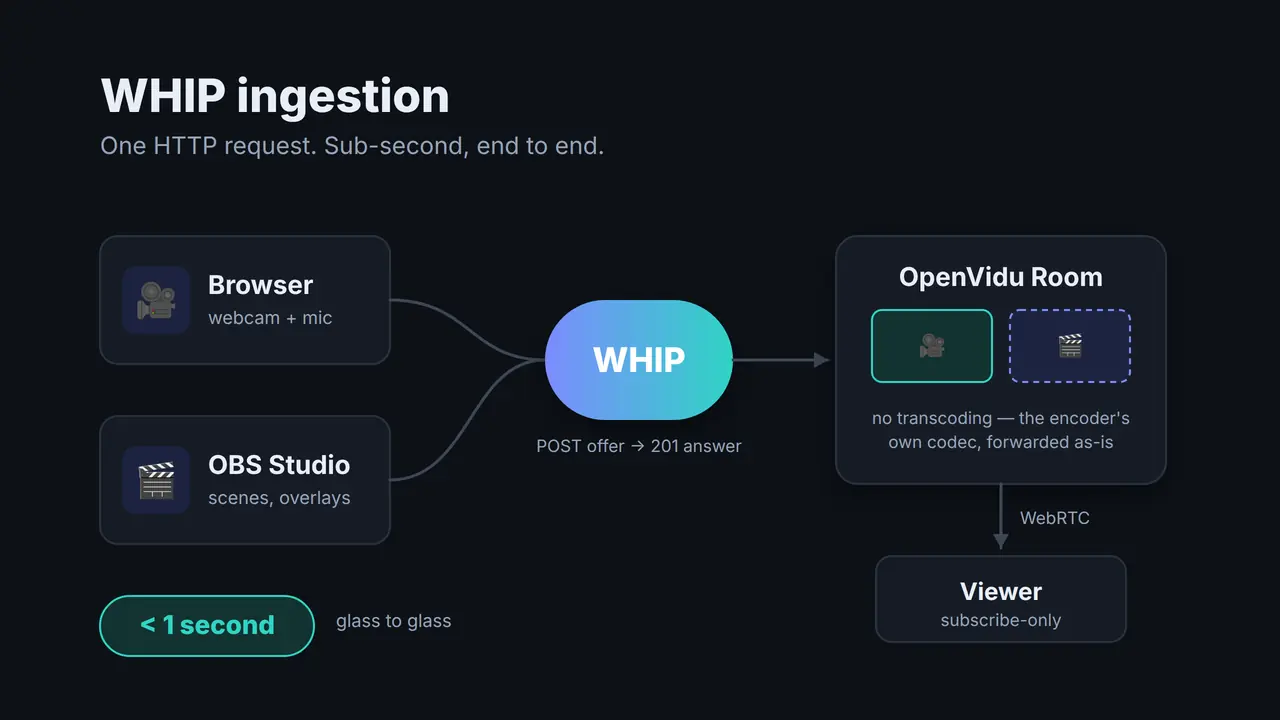
Part 1 of this series argued that if your video has to close a feedback loop with the person watching it, HLS and DASH structurally can't get you there and WebRTC can. That's the theory, and theory is cheap. So let's do the thing itself: take a webcam, push it into a self-hosted OpenVidu Platform Room over WHIP, and watch it come out the other side fast enough to have a conversation through. Then do it again from OBS Studio, which has spoken WHIP natively since version 30 and needs no plugin, no SDK and no code at all.
What you'll build
A local loop you can watch yourself: a small Node app that gets WHIP credentials against OpenVidu, a browser page that publishes your camera straight over WHIP, an OBS scene that does the same thing from a real production tool, and a viewer page that subscribes to any of them. All of it runs on your machine with Docker Compose. The code is at openvidu-labs/low-latency-whip-ingestion .
WHIP, in one paragraph#
WHIP (WebRTC-HTTP Ingestion Protocol) is based
on a POST of your SDP offer to a URL with a
bearer token. The server answers 201 Created with the SDP answer in the body. And that's it — that is
the entire handshake. Everything after it is ordinary WebRTC.
The reason that matters for this series is what doesn't happen. There's no manifest to write, no segment duration to pick, no player buffer to tune. The delay you get is the delay of the network plus the encoder, which is why this path lands under a second where a chunked one starts at several.
The demo app#
OpenVidu Platform is a self-hosted, LiveKit -compatible server, and its Ingress module exposes a WHIP endpoint.
The whole backend is two endpoints:
| Endpoint | What it does |
|---|---|
POST /api/ingress |
Creates a WHIP ingress on the room and returns the url and streamKey an encoder needs |
GET /api/viewer-token |
Obtains a subscribe-only access token, so a browser can watch, but never publish |
That asymmetry is the interesting part of the design. The publisher side needs no SDK at all — a
fetch() and a RTCPeerConnection are enough, which is precisely why OBS can do it too. The
viewer side is a normal WebRTC subscriber, so it uses the client SDK like any other participant in
the room.
Publisher's Browser ─────────┐
                             ├── WHIP (HTTP + SDP) ──▶ OpenVidu room ──▶ WebRTC ──▶ viewer's browser
Publisher's OBS Studio ──────┘
Get it running#
Two stacks: OpenVidu itself, and the demo app that joins its Docker network. The app deliberately doesn't bundle OpenVidu — you add ingestion to a deployment you don't otherwise control, which is how it works in real life too.
git clone https://github.com/openvidu-labs/low-latency-whip-ingestion
cd low-latency-whip-ingestion
git clone -b 3.8.0 https://github.com/OpenVidu/openvidu-local-deployment vendor/openvidu-local-deployment
cd vendor/openvidu-local-deployment/community
./configure_lan_private_ip_linux.sh    # macOS: ./configure_lan_private_ip_macos.sh
docker compose up -d
cd -
docker compose up -d --build    # the demo app, on port 3000
Wait for the 🎉 OpenVidu is ready! 🎉 banner before you carry on — it's eleven containers and the
first boot pulls a lot of images:
docker compose -f vendor/openvidu-local-deployment/community/docker-compose.yaml logs -f ready-check
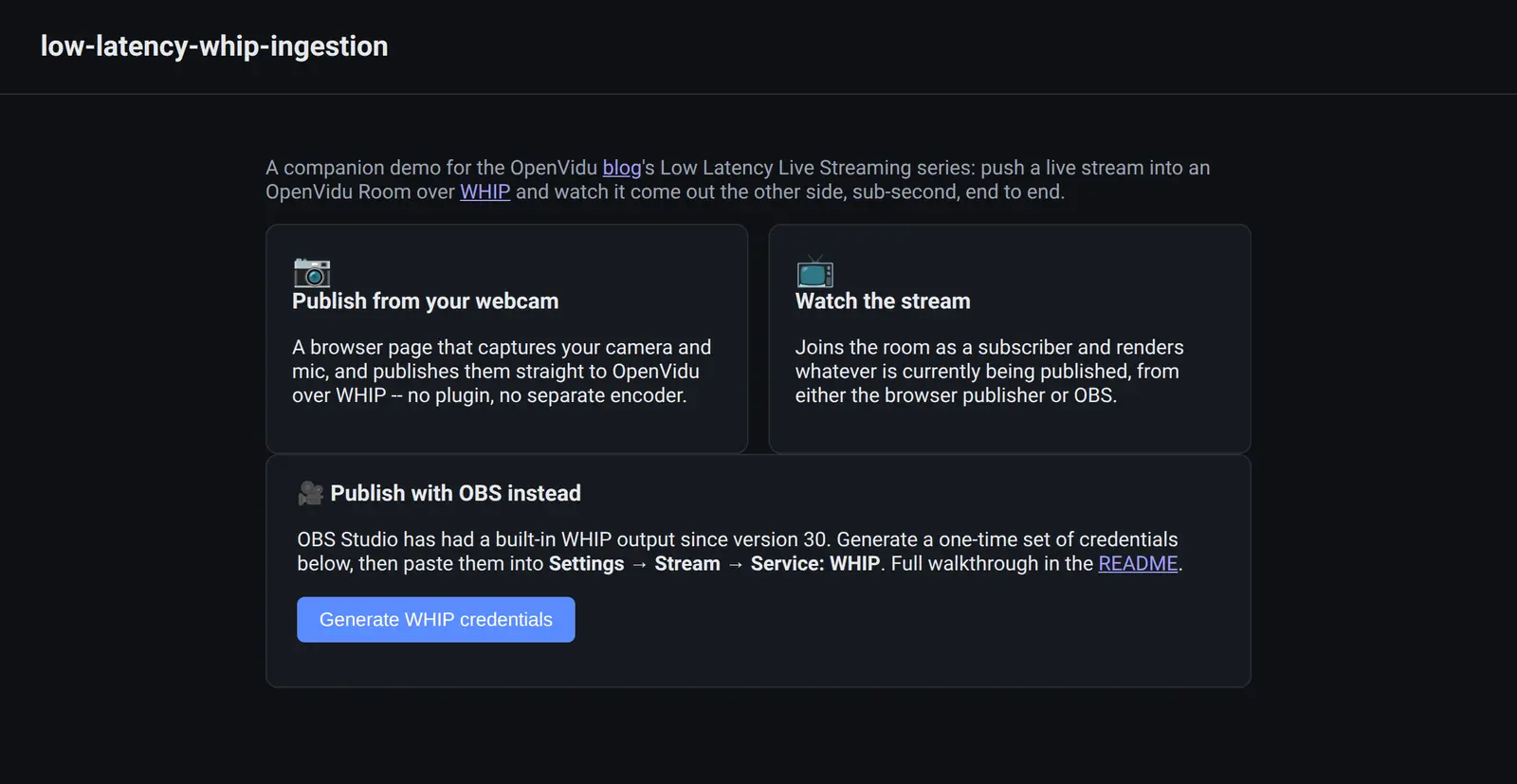
Then open http://localhost:3000. There are two things to click: Publish from your webcam and Watch the stream. Open them in two tabs and you have the whole loop in front of you.
Watch them side by side
Put the publisher tab and the viewer tab next to each other and wave at the camera. What you're looking for is that the wave arrives while your hand is still moving. That's the difference this series is about, and it's much more convincing than a number.
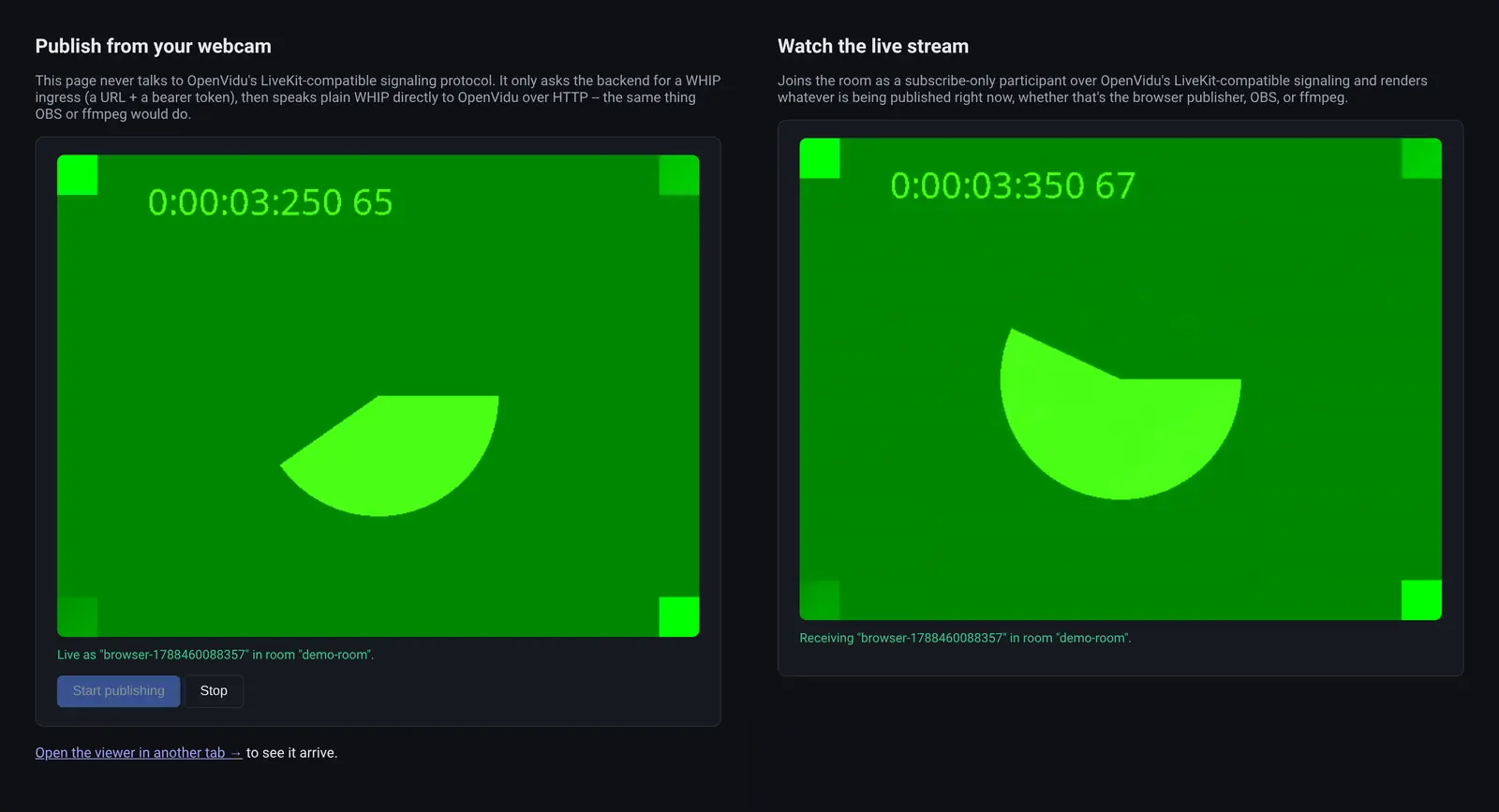
Those two tiles are the same stream: the left one is the camera as it is captured, the right one is what came back out of the Room after a WHIP publish and a WebRTC subscribe. The clock burned into the test pattern is there to be compared.
Publishing from the browser#
The browser publisher is about forty lines. That is the point worth taking away from this section: WHIP is small enough to hand-write.
const pc = new RTCPeerConnection({ iceServers: [] });

// Send-only: this peer publishes, it never receives.
for (const track of stream.getTracks()) {
  pc.addTransceiver(track, { direction: 'sendonly', streams: [stream] });
}

const offer = await this.pc.createOffer();
await pc.setLocalDescription(await pc.createOffer());
await waitForIceGatheringComplete(pc);        // non-trickle: send every candidate at once

const response = await fetch(whipUrl, {
  method: 'POST',
  headers: { 'Content-Type': 'application/sdp', Authorization: `Bearer ${streamKey}` },
  body: pc.localDescription.sdp,
});

if (!response.ok) {
  throw new Error(`WHIP POST failed: ${response.status} ${await response.text()}`);
}

const location = response.headers.get('Location');
this.resourceUrl = location ? new URL(location, this.url).toString() : null;

const answerSdp = await response.text();
await this.pc.setRemoteDescription({ type: 'answer', sdp: answerSdp });
Three details in there are worth a second look.
direction: sendonly. An ingest is one-directional.waitForIceGatheringCompleteWHIP allows trickle ICE, but a singlePOSTthat already carries every candidate is simpler and perfectly fine on a LAN.- The
Locationheader in the response points at a resource you canDELETEto end the session cleanly.
Publishing from OBS#
OBS needs no plugin for this: WHIP is a built-in output sitting in the same Service dropdown as Twitch and YouTube. Everything you already do in OBS, such as scenes, overlays, multiple cameras, a green screen, among others, arrives in your OpenVidu Room over WebRTC.
First, let's generate a set of credentials from the app, either by clicking Generate WHIP credentials at http://localhost:3000 or with curl:
curl -s -X POST http://localhost:3000/api/ingress \
  -H 'Content-Type: application/json' \
  -d '{"identity":"obs"}'
{
  "roomName": "demo-room",
  "participantIdentity": "obs",
  "url": "http://localhost:8085/whip",
  "streamKey": "<a long single-use token>"
}
Then, open OBS and in Settings → Stream add the following data to the form:
| Field | Value |
|---|---|
| Service | WHIP |
| Server | the url from the response |
| Bearer Token | the streamKey from the response |
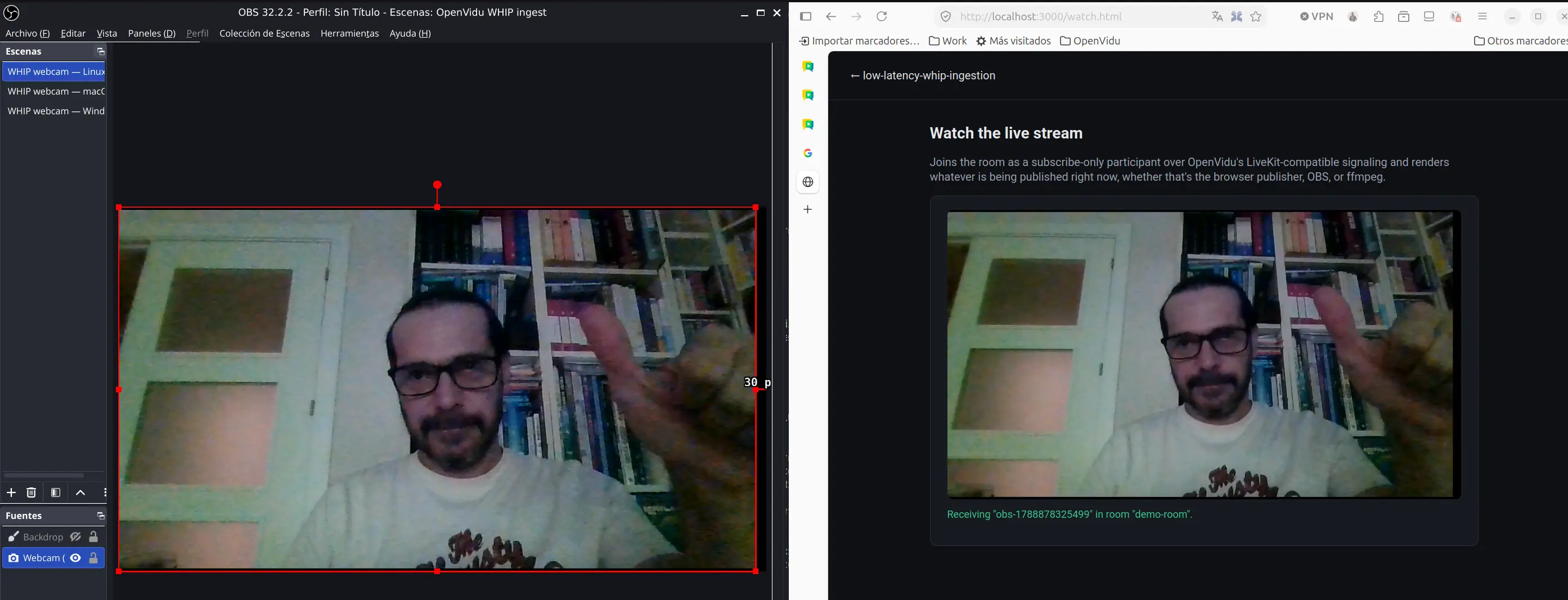
Click Apply, then Start Streaming, then open http://localhost:3000/watch.html. Your OBS scene is in the Room.
A scene collection to start from#
Building the scene by hand every time gets old, so the repo ships three scene collections, one for Linux, one for Windows and another one for MacOS. So when importing, choose
the appropriate one for your OS. For instance, this is the URL for linux:
obs/openvidu-whip-webcam-linux.json .
When imported you get a webcam filling a 720p canvas, and your default microphone, already wired up.
You still have to provide the Stream settings, with the WHIP token and URL provided by the app.
Watching it#
LiveKit does not support WHEP (WebRTC-HTTP Egress Protocol), so the viewer must connect to the room as a normal WebRTC subscriber using the LiveKit SDK. The app provides it a token that can join and subscribe but not publish, so the page can't accidentally start sending video:
const token = new AccessToken(API_KEY, API_SECRET, { identity, ttl: '2h' });
token.addGrant({ room: ROOM_NAME, roomJoin: true, canSubscribe: true, canPublish: false });
In the browser, connecting and rendering is two events:
const room = new Room();
room.on(RoomEvent.TrackSubscribed, (track) => track.attach(videoElement));
await room.connect(livekitUrl, token);
Whatever is publishing into the Room (the browser page, OBS, both at once) shows up here as a participant with tracks. From OpenVidu's point of view a WHIP ingress is a participant, which is why nothing about the viewer has to know how the media got in.
Why this path is the low-latency one#
One line in the app does more for latency than everything else put together:
await ingressClient.createIngress(IngressInput.WHIP_INPUT, {
  roomName: ROOM_NAME,
  participantIdentity: identity,
  enableTranscoding: false,
});
With transcoding off, OpenVidu forwards the encoder's own codec, untouched. Nothing decodes and re-encodes your video on the way through, which is where a good chunk of avoidable delay usually lives — and the CPU that would have gone into it stays free. It's the default for WHIP ingress in LiveKit, and the demo sets it explicitly so you can see it rather than discover it in the SDK source.
The trade is compatibility: if a publisher shows up with a codec the subscribers can't play, nothing transcodes it into one they can. Turning transcoding on buys that flexibility back and costs you some of the latency you came here for.
The other knob is on the OBS side. Set the keyframe interval to 1 second in Settings → Output — a new subscriber can't render anything until a keyframe arrives, so a long interval shows up as a slow join, not as ongoing delay.
When it doesn't work#
Three things account for most of it:
- "Could not create ingress. Is the OpenVidu stack up?" — the app container can't reach
http://openvidu:7880. Check thatdocker network inspect openvidu-communitylists both the app and the OpenVidu containers. - OBS has no
WHIPunder Service. You're on OBS < 30, or on the Ubuntu 24.04 PPA build, which ships without the WebRTC output. The Flatpak build has it. - The second stream never appears. Each set of credentials is one ingress. Stop streaming, generate a fresh set, start again — the old one isn't reused.
Need more than this?#
You now have a stream going into a self-hosted WebRTC platform from a browser and from a real production encoder, with no transcoding in the path and no proprietary ingest protocol anywhere. The next post in this series looks outward: which tools out there can already speak WHIP — hardware encoders, mobile apps, ffmpeg builds, cloud services — and what to do when the one you're stuck with can't.
To go further:
- Part 1: WebRTC vs. HLS and DASH — why this works, if you jumped straight to the code.
- Stream ingestion — WHIP ingest in your own app, beyond the demo.
- OpenVidu Local Deployment — the stack this post runs on, and how to take it somewhere that isn't your laptop.
- OpenVidu Platform — the SDKs and APIs underneath all of it.