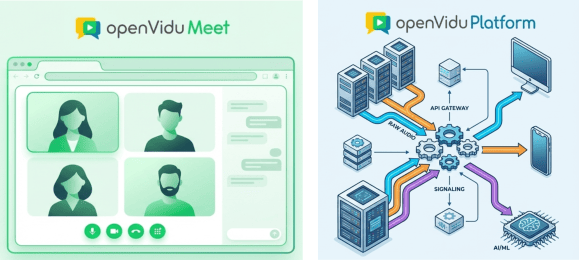
In this blog post we explore how different levels of abstraction are needed in the WebRTC arena, and which choices do you have when using the OpenVidu WebRTC ecosystem.
People are diverse, and that’s what makes life interesting. In the world of real-time communications (RTC), diversity means that different users require entirely different levels of abstraction to get the job done, from a "batteries included" scalable meeting application, to an extremely customizable media processing pipeline with access to low-level media SDKs and APIs.
There's a clear gap between a WebRTC demo and something you can actually run in production, and it usually sits at the TURN layer. Your demo might work fine on a clean network, but once real users show up behind NATs, corporate firewalls, and mobile gateways, the calls simply die without it.
Launch week often feels perfect. You ship an MVP, users join calls quickly, and early feedback is strong. Then growth arrives faster than expected.
One customer schedules a company-wide meeting. Hundreds of people join. Your best demo becomes your first major incident: CPU climbs, bandwidth saturates, audio breaks, video freezes. The product didn't fail because the team lacked talent. It failed because real-time media scales very differently from traditional web applications.
Stateless APIs can usually absorb demand with more replicas and a load balancer. Video conferencing can't. Each participant holds a long-lived, stateful connection, and every audio and video packet has to be encrypted and routed with very low latency. A database query can afford to wait 200 ms. A conversation can't — your users notice jitter, gaps, and packet loss the instant they happen.
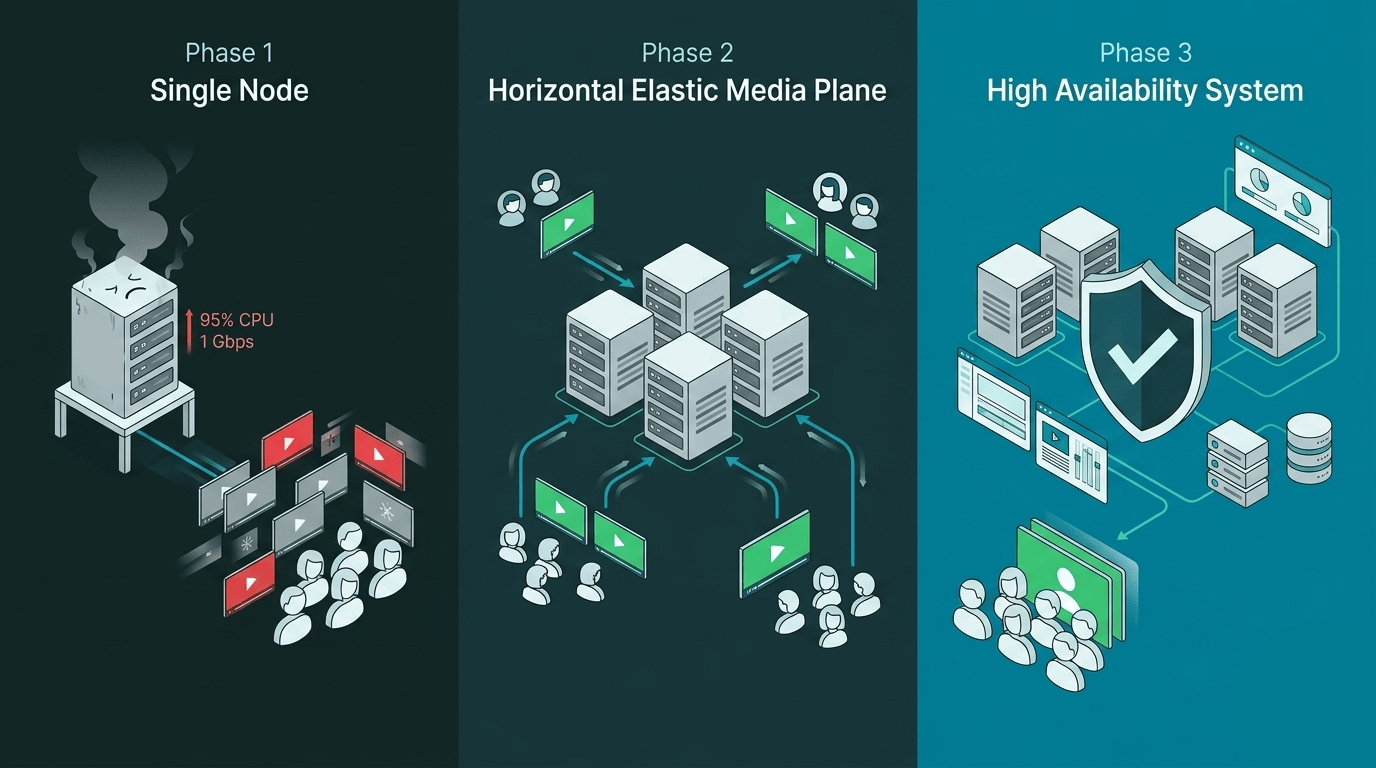
That's what makes scaling video a genuinely hard problem. It's not a hardware question you solve by adding RAM. You need an architecture that grows with you. This guide walks through a three-phase roadmap:
Single Node — where almost every successful product starts.
Horizontal Elastic Media Plane — how to scale the part of the system that actually processes calls.
High-Availability Control Plane — how to stop a single failure from taking down the entire platform.
Along the way, you'll also learn how to build an autoscaling loop that reacts before saturation hits, and how admission rules can protect call quality even when traffic bursts unexpectedly.
Autoscaling is one of the killer features of cloud infrastructure. It promises zero-waste elasticity: when demand rises, you spin up more nodes; when demand drops, you shut them down and stop paying for them. For most cloud workloads, this works beautifully. But for real-time media platforms — videoconferencing systems built on top of media servers — the "shut them down" part is far more dangerous than it first appears.
Scale in situation
This post dives into the scale-in problem: why you can't simply terminate a media server node that has active meetings running inside it, how the broader cloud industry has addressed it, and how OpenVidu implements a robust solution across AWS, Azure, GCP and Digital Ocean.
When React developers need to add video calls to their applications, the first question is usually simple:
"What is the fastest way to get it working?"
Most teams start by looking for a video API with a React SDK they can integrate quickly, without dealing directly with WebRTC complexity.
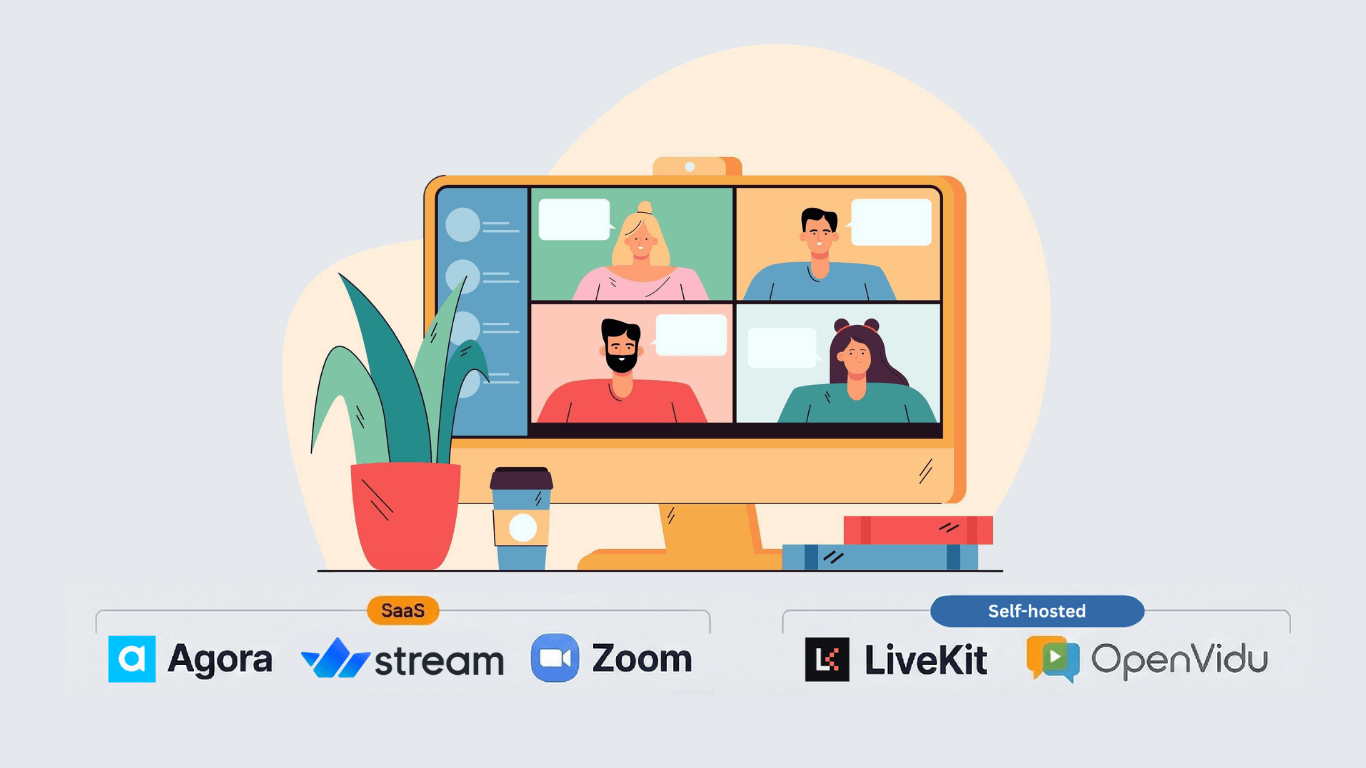
In practice, that usually means exploring well-known SaaS platforms that promise quick setup and minimal infrastructure work. That choice makes sense at the beginning:
Fast to integrate
No infrastructure headaches
Familiar turnkey experience
But there are questions teams often ask too late:
What happens when video becomes core to your product?
What happens when usage grows faster than expected?
Is paying per minute still the smartest choice in 2026?
Real-time video applications seem fairly simple at first glance. A user clicks "Join", video and audio start flowing, and everyone can see and hear each other.
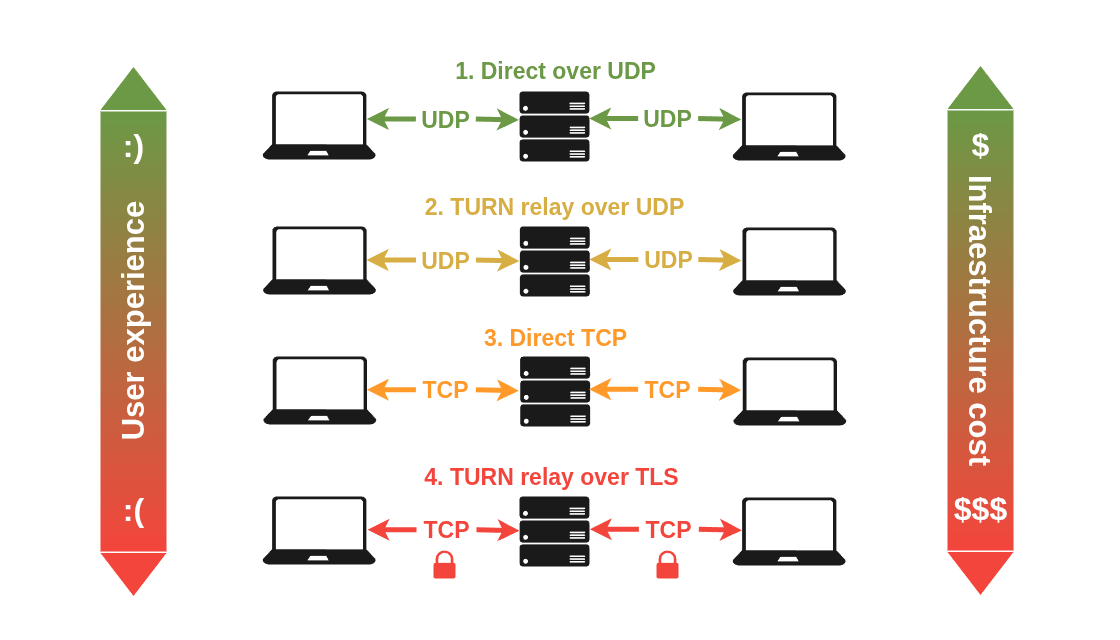
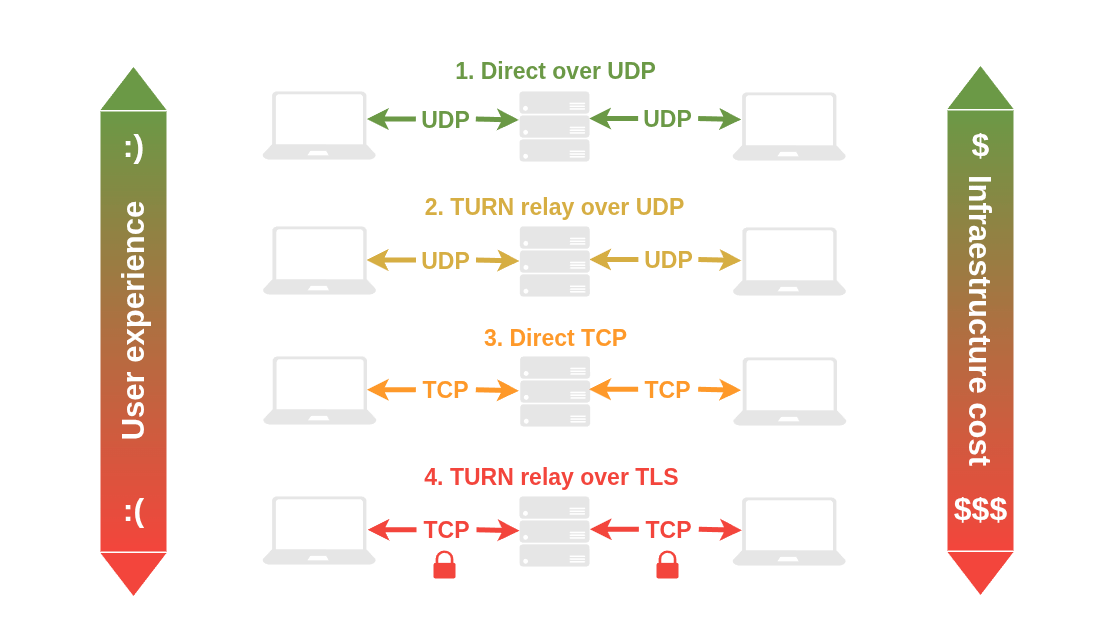
But under the hood, WebRTC is making a series of complex networking decisions that determine how media actually travels across the internet. Which ultimately impacts both the final users and your server infrastructure. Including:
Video quality and latency in your video sessions, and therefore user experience.
Server resource consumption, and therefore infrastructure cost.
So: not all WebRTC connections between a client and a media server are equal. There are 3 factors to consider: the WebRTC media server that you deploy, how you configure your server's network, and the strictness of your client's firewalls.
Over the first two factors you usually have full control: the WebRTC media server you deploy should support the most modern connectivity mechanisms, and the network where you deploy it should be properly configured to allow optimal connections. The third factor — the client's network — may be under your control if you're deploying an internal solution for a company, but for example in consumer-facing applications with users connecting from their home networks or mobile carriers, you have no control at all.
For these reasons it is crucial to understand how modern WebRTC connectivity works, and the impact of different network conditions in your users' experience and your server infrastructure costs.