5 React video call platforms in 2026: Is SaaS still the right choice?#
1. Introduction#
When React developers need to add video calls to their applications, the first question is usually simple:
"What is the fastest way to get it working?"
Most teams start by looking for a video API with a React SDK they can integrate quickly, without dealing directly with WebRTC complexity.
In practice, that usually means exploring well-known SaaS platforms that promise quick setup and minimal infrastructure work. That choice makes sense at the beginning:
- Fast to integrate
- No infrastructure headaches
- Familiar turnkey experience
But there are questions teams often ask too late:
- What happens when video becomes core to your product?
- What happens when usage grows faster than expected?
- Is paying per minute still the smartest choice in 2026?
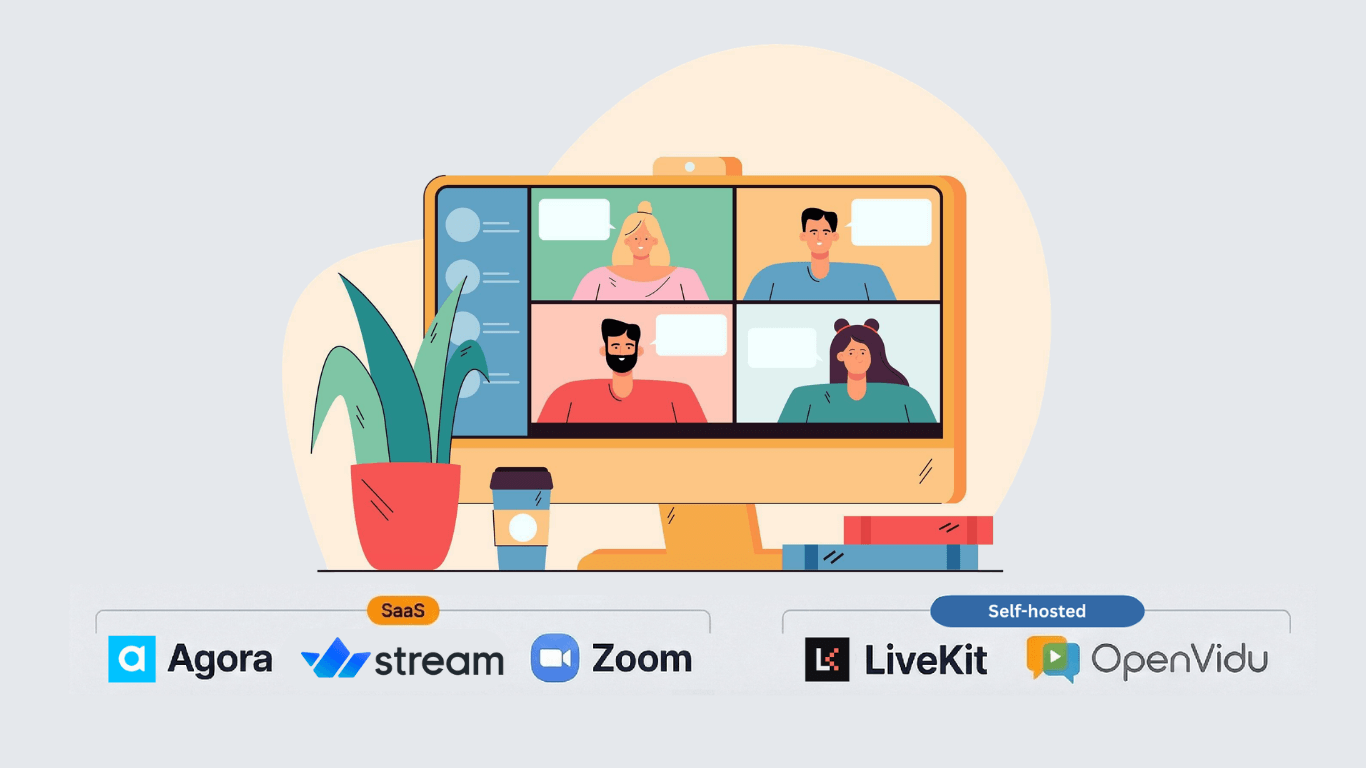
In this article, we explore the top React video call options in 2026. Not only by SDK quality and features, but also by the long-term impact of SaaS vs self-hosted infrastructure.
TL;DR
SaaS platforms is often the fastest start, but self-hosted options have reduced complexity and can offer stronger cost control, ownership, and flexibility as usage scales.
2. The False Assumption: SaaS = Fast, Self-Hosted = Complex#
“Self-hosted? That sounds like media servers, DevOps overhead, and unnecessary complexity.”
That used to be true.
In 2026, the distinction is no longer mainly about setup speed. Both SaaS platforms and modern self-hosted solutions can:
- Power a quick React prototype.
- Support rapid MVP validation.
- Offer developer-friendly SDKs.
- Be deployed in minutes.
The starting line is closer than ever. But the real difference appears once your product begins to grow. When usage is low, SaaS usually feels simple, predictable, and low risk. However, when video becomes central to your product, the per-minute pricing model starts to change the conversation.
At that point, the questions shift toward:
- How do costs evolve as usage scales?
- Who controls recordings, user data, and compliance?
- How much architectural flexibility do we really have?
The decision is no longer only technical. It becomes financial, operational, and strategic. Modern self-hosted solutions have quietly closed much of that complexity gap while preserving something SaaS cannot offer: Ownership.
And that is where the decision becomes less about convenience and more about long-term control.
3. The 5 React Video Call Platforms to Consider in 2026#
Several platforms make it possible to add video calls to React applications quickly. Each one offers a different balance between ease of integration, scalability, and control.
Here are five solutions developers commonly evaluate in 2026.
Agora.io #

Cloud-based video API with a globally distributed low-latency network and advanced real-time engagement features.
Hosting model: SaaS (fully managed via Agora’s global SD-RTN™ infrastructure)
Docs:
Quick React integration (minimal example)
Minimal example only. Token generation, backend auth, error handling, and production UI state are intentionally omitted.
import AgoraRTC from 'agora-rtc-sdk-ng';
import { AgoraRTCProvider } from 'agora-rtc-react';

const Client = ({ children }) => {
    return (
        <AgoraRTCProvider
            client={AgoraRTC.createClient({ mode: 'rtc', codec: 'vp8' })}
        >
            {children}
        </AgoraRTCProvider>
    );
};
const root = createRoot(document.getElementById('container'));
root.render(<Client />);
It offers a highly optimized global network designed to minimize latency and handle large-scale interactive use cases.
If your priority is reliability without managing infrastructure, it’s a strong contender.
Strengths
- Very low latency and reliable global delivery.
- Mature SDKs across platforms.
- Built-in features such as noise suppression, virtual backgrounds, and real-time effects.
- Enterprise-focused compliance options (HIPAA-ready environments).
- Proven scalability for large live and interactive events.
Trade-offs
- Fully proprietary platform (no access to underlying infrastructure)
- Pricing is usage-based, which can increase significantly at scale
Best for
Product teams that want a fully managed, globally distributed video layer and are comfortable with a pay-per-use model — especially in:
- EdTech.
- Live events.
- Marketplaces.
- Telehealth platforms.
Zoom #

Zoom’s Video SDK allows developers to build custom video applications using Zoom’s underlying infrastructure, but with full control over the user interface and experience.
Hosting model: SaaS (Zoom-managed infrastructure)
Docs:
Quick React integration (minimal example)
Minimal example only. Token generation, backend auth, error handling, and production UI state are intentionally omitted.
import {
    useSession,
    useSessionUsers,
    VideoPlayerComponent,
    VideoPlayerContainerComponent,
} from '@zoom/videosdk-react';

function VideoChat() {
    const { isInSession, isLoading, isError } = useSession(
        'session123',
        'your_jwt_token',
        'username',
    );

    const participants = useSessionUsers();

    if (isLoading) return <div>Joining session...</div>;
    if (isError) return <div>Error joining session</div>;

    return (
        <div>
            {isInSession && (
                <VideoPlayerContainerComponent>
                    {participants.map((participant) => (
                        <VideoPlayerComponent key={participant.userId} user={participant} />
                    ))}
                </VideoPlayerContainerComponent>
            )}
        </div>
    );
}
Strengths
- Excellent call quality, reliability, and global performance inherited from Zoom Meetings.
- Built-in features like recording, screen share, and analytics via Zoom platform.
- Familiar user expectations and strong brand trust with enterprises.
Trade-offs
- Less flexible for deep customization than some developer‑native platforms.
- Pricing can be higher and less granular, especially at scale, with limited volume discounts vs competitors.
- Closed ecosystem and strong vendor lock‑in.
Best for
Enterprise or B2B apps that want Zoom-grade reliability and compliance while embedding video into existing workflows.
Stream #


Developer-focused video API designed to integrate real-time video and collaboration features directly into modern web and mobile applications.
Hosting model: SaaS (managed cloud infrastructure)
Docs:
Quick React integration (minimal example)
Minimal example only. Token generation, backend auth, error handling, and production UI state are intentionally omitted.
import { StreamVideoClient, StreamVideo } from "@stream-io/video-react-sdk";
import { StreamCall, StreamTheme } from "@stream-io/video-react-sdk";

const client = new StreamVideoClient({
  apiKey: "STREAM_API_KEY",
  user: { id: "user-id" },
  token: "USER_TOKEN",
});
const call = client.call('default', 'demo-call');
await call.join({ create: true });

export default function App() {
  return (
    <StreamVideo client={client}>
      <StreamCall call={call}>
        {/* your video UI */}
      </StreamCall>
    </StreamVideo>
  );
}
Strengths
- Modern React-first SDK with ready-to-use UI components.
- Built on top of Stream’s real-time infrastructure used for chat and activity feeds.
- Good developer experience with composable components and flexible UI customization.
- Integrated ecosystem for chat, notifications, and collaboration features.
Trade-offs
- Fully managed SaaS platform with no infrastructure control.
- Pricing is usage-based and may grow as video usage increases.
- Ecosystem is newer in video compared to long-standing providers like Zoom or Agora.
Best for
Product teams building collaborative applications that combine chat, notifications, and video — such as social platforms, creator tools, marketplaces, or productivity apps — and want a cohesive real-time developer platform.
LiveKit #

Open source WebRTC stack with self-host or cloud options for highly customizable real-time video applications.
Hosting model: Self-hosted (open source) or SaaS (LiveKit Cloud)
Docs:
Quick React integration (minimal example)
Minimal example only. Token generation, backend auth, error handling, and production UI state are intentionally omitted.
import { LiveKitRoom, VideoConference } from '@livekit/components-react';

export default function App() {
    return (
        <LiveKitRoom
            serverUrl="wss://your-livekit-server"
            token="TOKEN"
            connect={true}
        >
            <VideoConference />
        </LiveKitRoom>
    );
}
Strengths
- Open source with permissive MIT license, giving full control over the codebase and deployment.
- Fine-grained control over scaling, routing, and deployment (Kubernetes, own cloud, etc.)
- Modern React SDK with a focus on developer experience and flexibility.
- Active community and growing ecosystem of tools and integrations.
Trade-offs
- Requires more in-house WebRTC knowledge to tune performance and features.
- Higher DevOps and SRE burden compared with fully managed SaaS.
- Cloud option is more expensive than some SaaS competitors, but offers more control and flexibility.
Best for
Engineering-heavy teams that want ownership and deep customization of real-time infrastructure, or need strict data residency/control.
OpenVidu Meet#


Open source video platform built on top of LiveKit, increasing performance, reducing complexity and offering simplicity and scalability.
Hosting model: Self-hosted
Docs:
Quick React integration (minimal example)
Minimal example only. Token generation, backend auth, error handling, and production UI state are intentionally omitted.
// Load once in your app shell (for example, in index.html)
// <script src="https://<your-openvidu-domain>/meet/v1/openvidu-meet.js"></script>

export function Meeting({ roomUrl }: { roomUrl: string }) {
    return <openvidu-meet room-url={roomUrl} leave-redirect-url="/" />;
}
Strengths
- Open source with a strong focus on ease of use and developer experience using Docker.
- Easy on premises deployment with minimal WebRTC expertise required.
- Flexible architecture that can be deployed on any cloud (AWS, Azure, GCP, Digital Ocean, Oracle) or on-premises infrastructure.
- Embed-first approach in OpenVidu Meet with Web Component (
<openvidu-meet>), REST API, and webhooks. - Built on top of LiveKit, improving performance and reducing deployment complexity.
- Free Community edition with generous limits, and a Pro edition with predictable pricing based on cores used.
Trade-offs
- Self-hosting requires more operational overhead than SaaS, especially at scale.
- Less turnkey than SaaS for teams without video experience, but much easier than traditional media servers.
Best for
Teams that want the benefits of self-hosted infrastructure without the complexity of traditional media servers, especially those building video-first products where cost control, data ownership, and customization are priorities.
4. Comparison Summary#
The best choice depends on your priorities and constraints. Here’s a high-level comparison of the platforms we covered:
| Platform | Integration approach | UI flexibility | Infrastructure control | Backend complexity | Best fit |
|---|---|---|---|---|---|
| Agora | React + Web SDK (agora-rtc-react) |
High | Low | Medium | Custom video products without managing RTC infrastructure |
| Zoom Video SDK | Imperative SDK + UI toolkit | Medium | Low | Medium | Zoom-like meeting experiences |
| Stream | React SDK + composable UI components (@stream-io/video-react-sdk) |
Medium | Low | Medium | Fast MVPs with polished UI |
| LiveKit | React components (@livekit/components-react) with custom UI |
High | High | High | Deeply customized real-time applications |
| OpenVidu Meet | Web Component (<openvidu-meet>) + REST/Webhooks |
Medium | High | Low | Ready-to-use meetings with self-hosting control |
5. Conclusion#
There is no universal winner. If your top priority is shipping fast with minimal operational overhead, SaaS options remain compelling, although self-hosted solutions like OpenVidu have significantly closed the complexity gap.
If video is becoming a core capability in your product, self-hosted alternatives are now practical enough to consider early, especially when cost predictability, data ownership, and long-term control matter.
The best decision is not only about how fast you can launch, but how well your architecture and pricing model will hold up when your usage grows. If you’re concerned about scaling costs, data control, or vendor lock-in, OpenVidu Meet offers a unique middle ground: the simplicity of a SaaS experience combined with the ownership and flexibility of self-hosting.