OpenVidu 3.10.0 is now available#
OpenVidu 3.10.0 brings new exciting features to both OpenVidu Meet and OpenVidu Platform. It extends OpenVidu Meet with live broadcasting and new controls over who joins a meeting and how participants interact, and it improves the monitoring and recording capabilities of OpenVidu Platform. It also includes security fixes and stability improvements for production deployments.
On the OpenVidu Meet side, meetings become events. Stream any meeting live to any RTMP server, lock a room so that participants wait until a host lets them in, and let everyone raise their hand or react with an emoji. Embedded applications get commands and events for all of it, and a broad round of security fixes makes every meeting safer.
On the OpenVidu Platform side, a completely redesigned OpenVidu Dashboard shows what happens in every Room, and the new Participant Passthrough Egress records every participant without transcoding, at a fraction of the CPU cost. On top of that, mediasoup is tougher in production, deployments heal themselves after a crash, and AI agents need far fewer resources.
Here are the highlights.
OpenVidu 3.10.0 at a glance
- OpenVidu Meet: live broadcasts to any RTMP server, locked rooms with a waiting room, raise hand and reactions, more control for embedded applications and stronger security.
- OpenVidu Platform: a brand new OpenVidu Dashboard, Participant Passthrough Egress, a hardened mediasoup, self-healing deployments and leaner AI agents.
- No breaking changes in either product. Check Before you upgrade for the few things worth doing.
OpenVidu Meet 3.10.0#
Go live to YouTube, Twitch or any RTMP server#
Webinars, classes and town halls rarely stay inside the meeting: the people who follow your channel want to watch too. With Live Broadcast, a meeting streams to YouTube, Twitch, Facebook or any RTMP server without a separate streaming tool. The meeting goes on as usual for its participants.
Each room saves its default destinations, and a meeting can stream to several of them at once. Every destination is a broadcast of its own: if one channel drops, the others keep going, and you can retry the failed one from the meeting. Everyone in the meeting sees a LIVE mark while it is on air.
Your backend can go live too, with the new Broadcasts REST API . This call streams the live meeting of a room to every destination saved in it:
curl -X POST "https://<your-openvidu-domain>/meet/api/v1/broadcasts" \
  -H "X-API-KEY: <your-api-key>" \
  -H "Content-Type: application/json" \
  -d '{"roomId": "<room-id>"}'
Replace <your-openvidu-domain> with the domain of your deployment, <room-id> with the ID of the room and <your-api-key> with an OpenVidu Meet API key. The broadcastStarted, broadcastUpdated and broadcastEnded webhooks tell your application when each destination goes live and when it stops.
Live broadcast needs Egress
Live broadcast runs on the Egress service of your deployment, the same one that records meetings. Make sure it is enabled, and that the Egress host can reach the RTMP servers. Each destination needs about 3 Mbps of upload at 720p.
Locked rooms with a waiting room#
A shared link is great until the wrong person uses it. In a locked room, participants ask to join and wait until a host admits or rejects them. It suits classes, medical consultations and public meetings, where you want to see who is asking before letting anyone in.
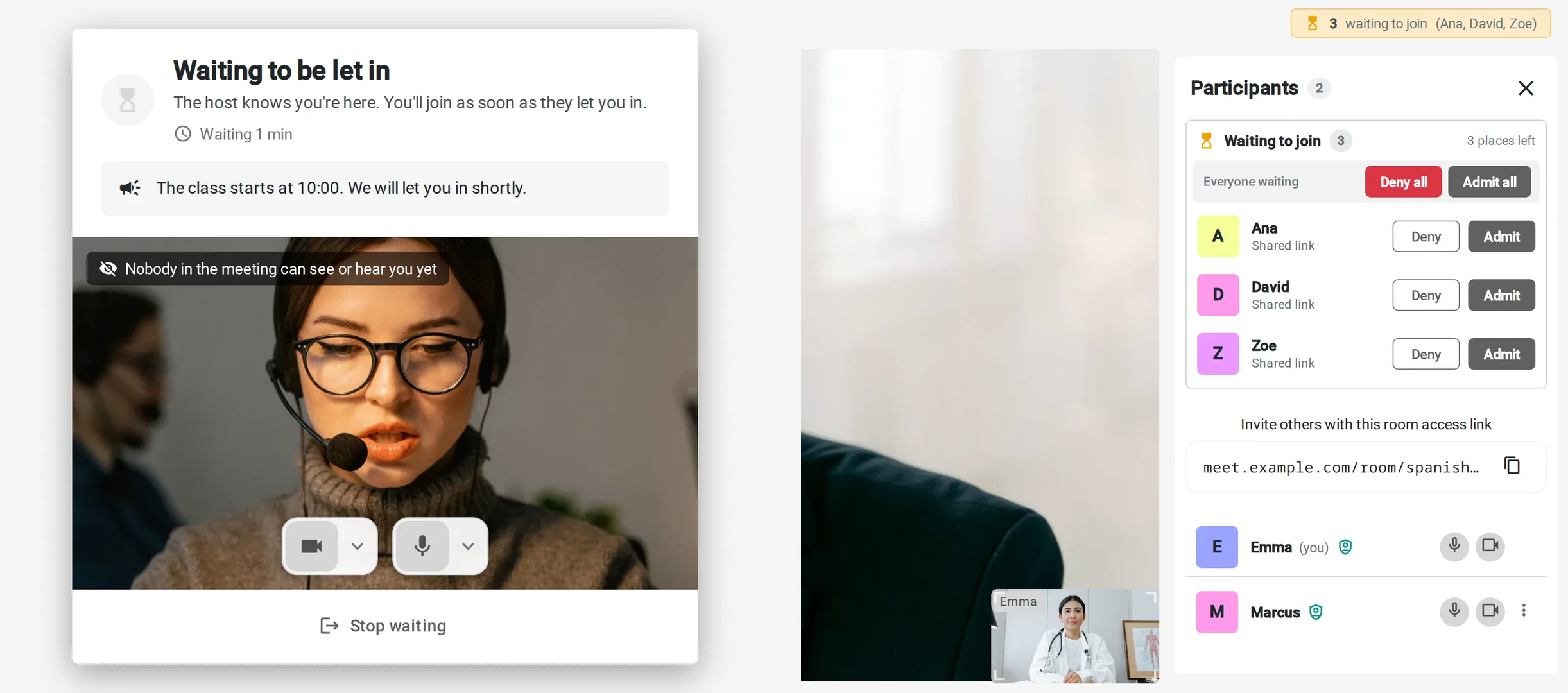
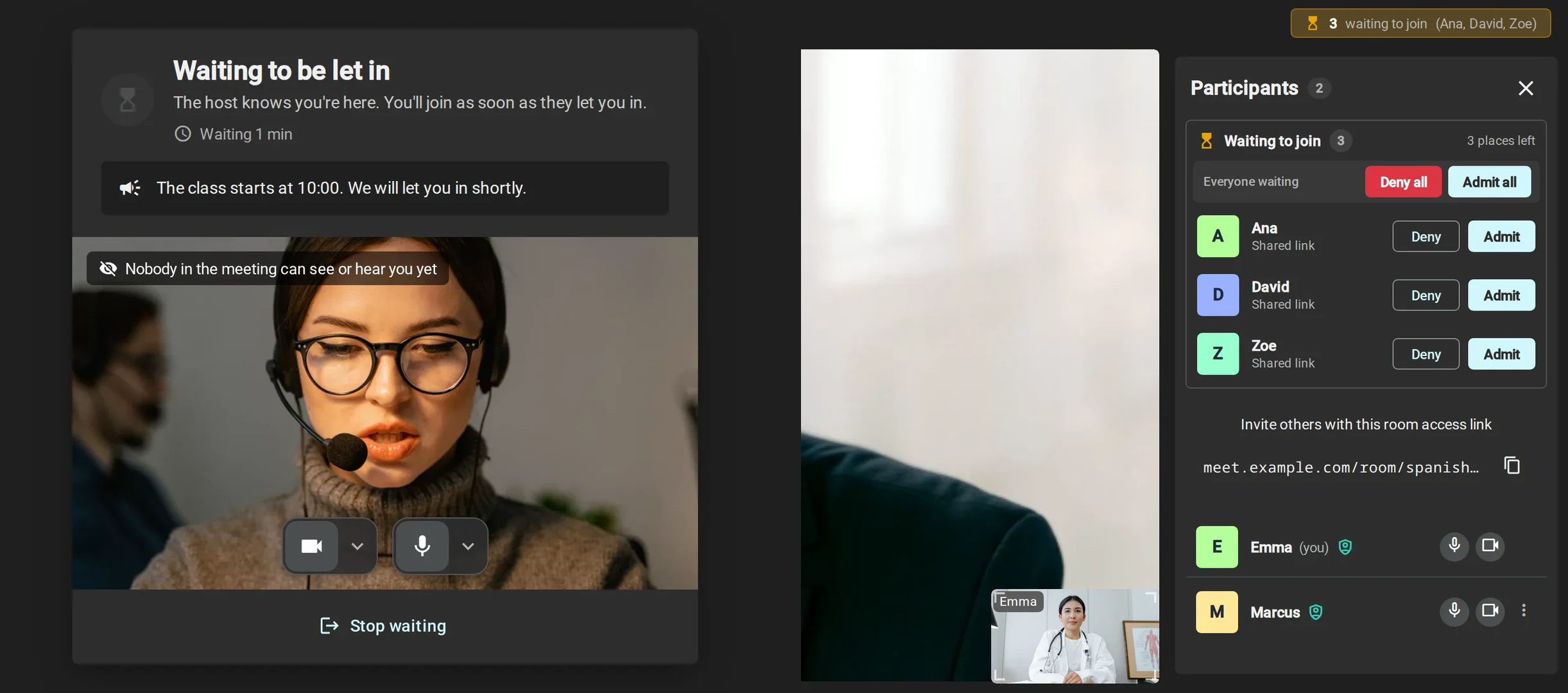
While they wait, participants see the room's message and set up their camera and microphone, so they are ready the moment they get in. Hosts admit or reject people one by one or all at once. Moderators join directly by default, speakers wait, and two new permissions, accessBypassLock and waitingParticipantAdmin, let you change who does what.
Locking a room is a toggle in the room wizard, or a single property of the room's access settings in the REST API:
{ "access": { "lock": { "enabled": true, "message": "The class starts at 10:00. We will let you in shortly." } } }
Raise hand and reactions#
Big meetings need a way to ask for a turn without interrupting whoever is talking. Participants can now raise their hand, with a button or the R key. Raised hands form a queue that everyone sees in the same order, and moderators hear a sound, get a notice and can lower one hand or all of them.
And sometimes a 👍 says it all. With reactions, participants send one of eight emojis that shows on their camera tile for 10 seconds. The status rail adds them up across the meeting, so whoever leads it can read the room at a glance: "who understood that?" now has an answer in two seconds.
Both features are on by default and can be turned off per room, with config.raiseHand and config.reactions.
More control for embedded applications#
If you embed OpenVidu Meet in your own app, everything above is yours to drive from your code. The Web Component gets new commands and events to:
- Run the waiting room: admit and reject waiting participants, and know when someone knocks.
- Follow the room's mood: raise and lower hands, send reactions, and get an event for each one.
- Record and go live from your own buttons: start and stop recordings and broadcasts, and follow their progress.
- Manage roles: promote a participant to moderator or return them to their original role, and get notified when it happens.
- Speak your users' language: the
languageattribute sets the language of the interface, andshow-language-selectorhides the selectors.
For example, this admits the participants your application expects, follows the hand queue and puts the recording in your own UI:
const meet = document.querySelector('openvidu-meet');

meet.on('waitingParticipantKnocked', (event) => {
    if (expectedGuests.includes(event.participant.externalId)) {
        meet.waitingParticipantAdmit({ participantIdentity: event.participant.participantIdentity });
    }
});

meet.on('participantHandChanged', (event) => {
    const { participantName, handRaised } = event.participant;
    console.log(`${participantName} ${handRaised ? 'raised' : 'lowered'} their hand`);
});

recordButton.onclick = () => meet.recordingStart();
expectedGuests is a list of your own user IDs, set on each guest with the participant-external-id attribute, and recordButton is any button of your page. Commands act on behalf of the local participant, so they need the matching permissions: waitingParticipantAdmin to admit, recordingControl to record. Your backend gets the same picture: meetingGet now returns the participants and the waiting room, and every participant reports its type (user, identified_guest or anonymous).
A more polished experience#
- A new device setup screen, with a microphone level indicator and separate controls for camera, microphone and background effects. "Can you hear me?" is answered before you join.
- Meeting settings in three tabs (Audio & video, Layout and General), with live previews of camera and microphone changes.
- Better audio: clearer microphones, and better audio capture when sharing a screen.
- A more useful console: room and recording statistics on the overview page, and lists that remember your searches and filters.
Stronger security#
This one is invisible to participants, but it matters a lot. 3.10.0 closes a broad set of security issues in OpenVidu Meet:
- Tokens that follow your changes: room member tokens are invalidated as soon as access rights or roles change, and user tokens are revoked after a logout or a password change.
- Independent guest links: each identified guest's link now has a secret of its own.
- Permissions checked by the server: sensitive resources and operations are protected by server-side permission checks, and participants can no longer impersonate system messages in the chat.
Regenerate the links of your identified guests
The personal links of identified guests created before 3.10.0 should be replaced. Regenerate each one from the Room Members tab of the room with the new Regenerate link action, or remove the guest and add them again. The old link stops working once it is regenerated. See Regenerate a guest's link.
OpenVidu Platform 3.10.0#
A brand new OpenVidu Dashboard#
Running video in production means answering questions like "what happened in that Room last Tuesday?" or "why did that participant disconnect?". The OpenVidu Dashboard has been rebuilt from scratch to answer them, with a cleaner design on top of a completely new analytics model.
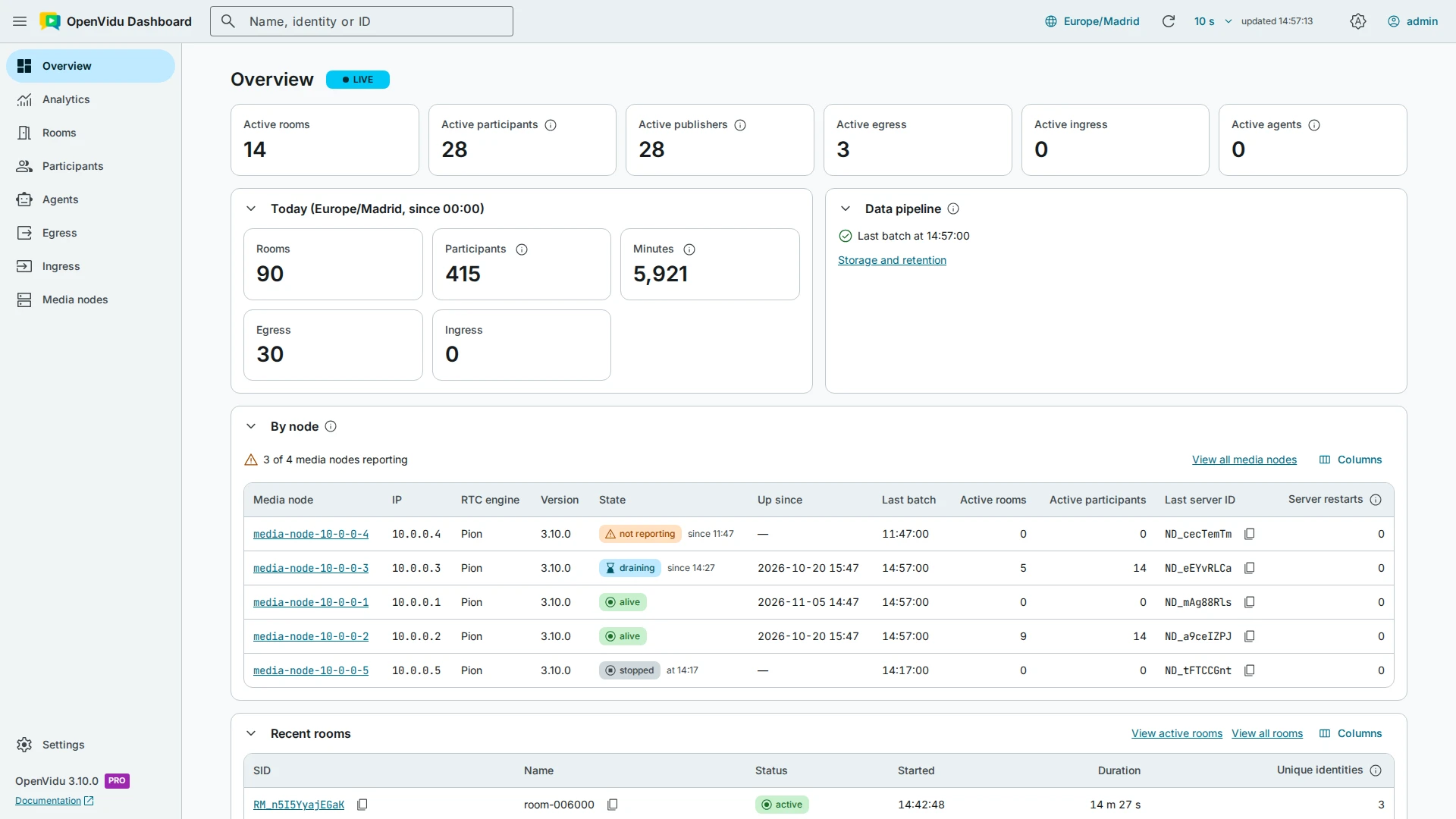
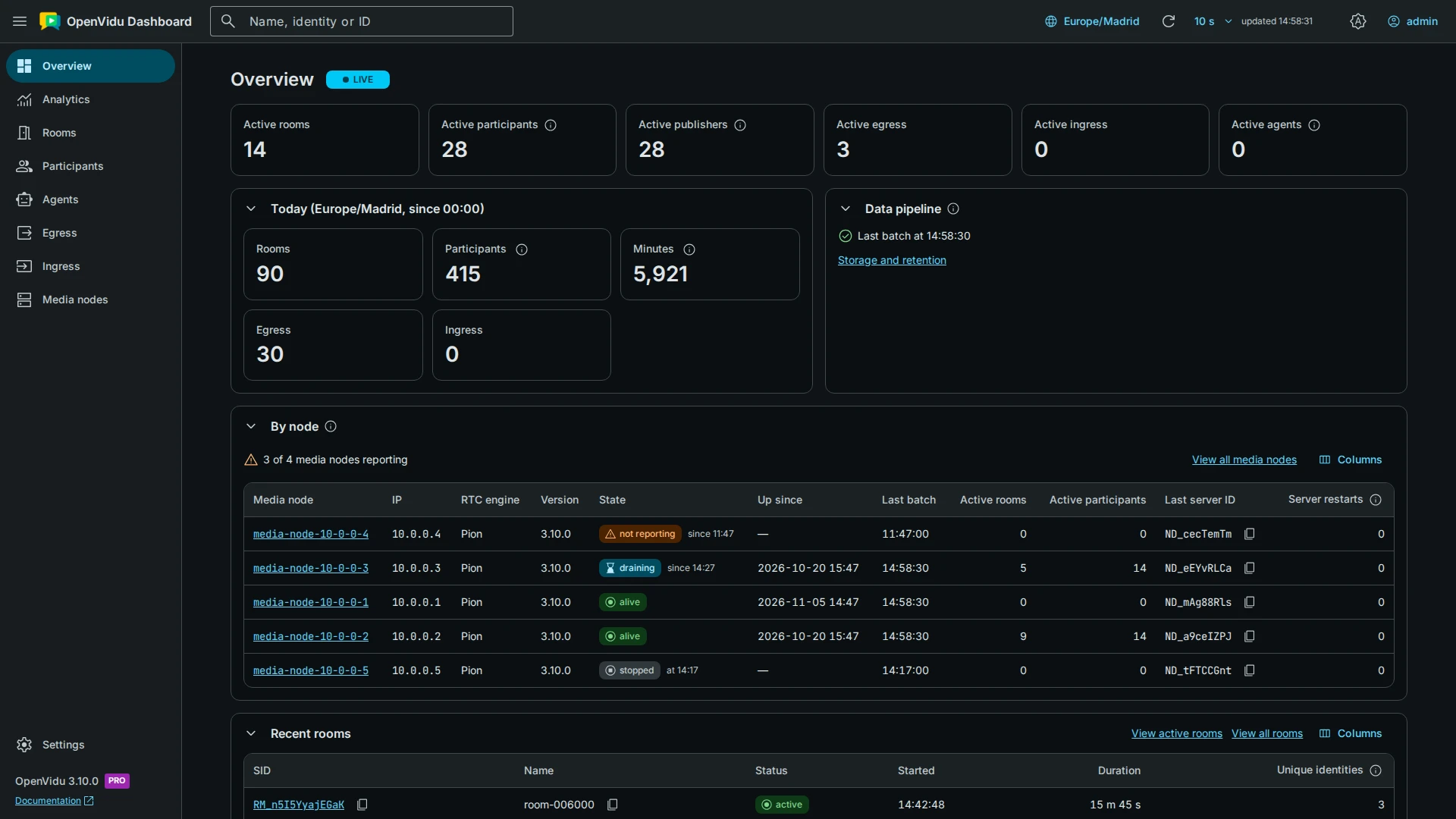
- Live overview: what is running right now in your deployment, refreshed automatically.
- Analytics for any time range, from 5-minute to daily detail: activity, clients, data transferred, Egress, Ingress and the topology of each Room (1:1, 1:N or N:M).
- Find anything: a global search for any Room, participant or ID, and export to CSV or XLSX.
- Honest data: Rooms and participants whose end was never reported, for example after a node crash, are closed automatically with an estimated end time. Each kind of data has its own retention time.
OpenVidu PRO goes deeper, down to every single track: codecs, layers, packet loss, jitter and subscribers. It also adds Quality, Diagnostics and Top rooms analytics, and a page for every Media Node in Elastic and High Availability deployments. And media statistics now work with both RTC engines, Pion and mediasoup.
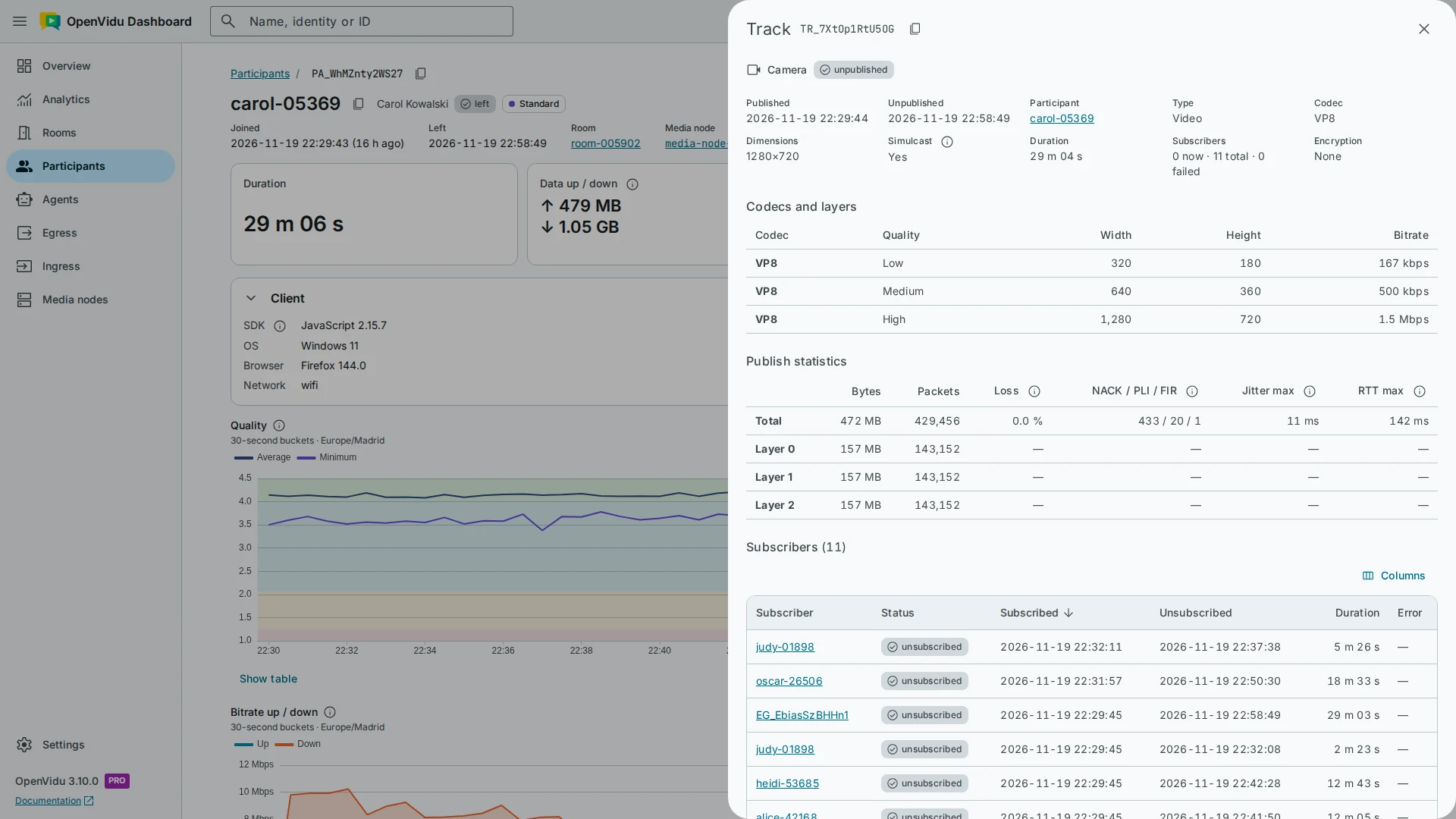
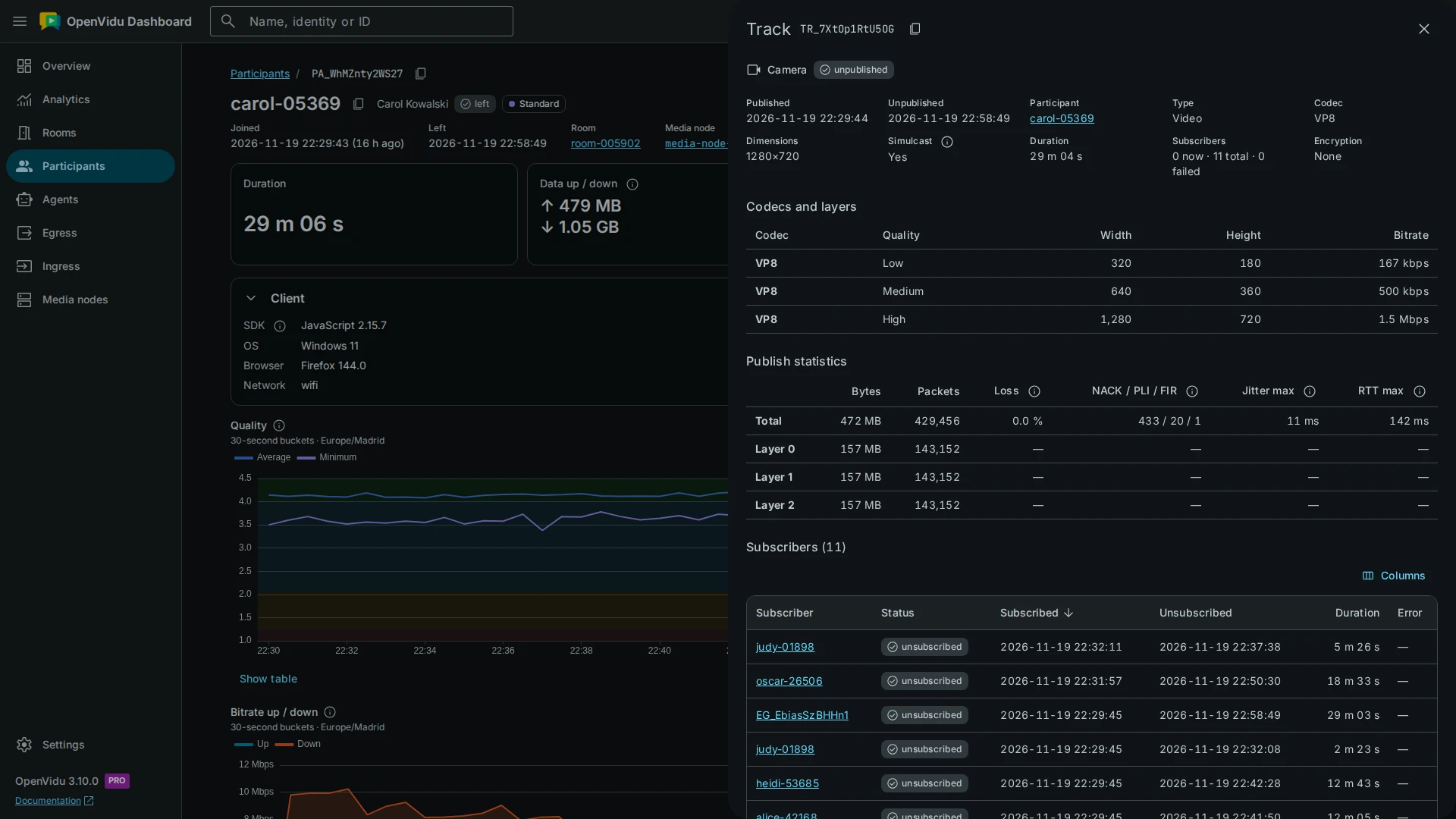
Upgrading from a previous version? The analytics data you already have is migrated to the new model automatically, in the background.
Participant Passthrough Egress#
A composite recording is perfect for watching a meeting back, but it is a dead end for post-production: everyone is already baked into one video. And it is expensive, because the server has to decode, compose and encode every frame.
Participant Passthrough Egress takes the opposite approach. It records every track a participant publishes exactly as it arrives, without transcoding:
- A fraction of the CPU: no decoding and no encoding, so the same Egress node records many more participants.
- Original quality: every frame in its original codec, resolution and frame rate.
- Files in sync: camera, microphone and screen share go to WebM or MKV files that share one timeline. WebM files play in any browser.
- A manifest to rebuild the Room: it lines up every file with those of the other participants, ready to compose them into a single video with FFmpeg or GStreamer, in the layout you want.
Record one participant, or every participant of a Room with a single Egress, even automatically from the moment the Room is created. With the Node.js server SDK, a whole Room is one request:
import { EgressClient, FileOutput, Output, StartEgressRequest, TemplateSource } from 'livekit-server-sdk';

const egressClient = new EgressClient('https://<your-openvidu-domain>', '<api-key>', '<api-secret>');

const egressInfo = await egressClient.startEgress(new StartEgressRequest({
  roomName: 'my-room',
  source: { case: 'template', value: new TemplateSource({ layout: 'PARTICIPANT_PASSTHROUGH' }) },
  outputs: [new Output({
    config: {
      case: 'file',
      value: new FileOutput({ filepath: 'recordings/{room_name}/{publisher_identity}-{time}' }),
    },
  })],
}));
Replace <your-openvidu-domain> with the domain of your deployment, and <api-key> and <api-secret> with its API key and secret. Each participant gets files named after them, and the Egress uploads one manifest for the whole Room.
Participant Passthrough Egress is part of OpenVidu PRO
You can try it with a 15-day free trial by creating an OpenVidu account.
Smarter recordings#
- AV1 recordings without transcoding (OpenVidu PRO): individual AV1 tracks are recorded as published.
- Recordings that start every time: Room Composite and Web Egress no longer fail with
"websocket url timeout reached"on slow or busy disks. - No duplicates, no false alarms: Auto Participant Egress no longer records a participant twice after a full reconnection, and a recording stopped during a brief Redis stall is no longer reported as failed.
mediasoup, tougher in production#
Release 3.9.0 made mediasoup battle-tested. Release 3.10.0 updates it to mediasoup 3.32.2, and keeps hardening it:
- No more crashes: a participant connected over ICE-TCP no longer brings down the server when it leaves, and crafted RTP or SCTP packets can no longer crash it either.
- Backup codecs: every subscriber gets a codec its browser can decode. For example, a Firefox subscriber to an AV1 track gets the backup codec instead.
- Video that never gets stuck: subscribers no longer stay without video when they join a track paused by dynacast, or freeze on the first keyframe of a high-bitrate simulcast track. Video also gets its full quality as soon as it starts.
- Cleaner AV1 SVC: no more undecodable frames when the forwarded layers change, for live subscribers and recordings alike.
- Muted means silent: a track published already muted no longer sends silence or black frames.
Deployments that heal themselves#
- Crash recovery in seconds: after a server crashes and restarts, participants get back into their Rooms right away, instead of failing for about 30 seconds. The Rooms keep their state, and in OpenVidu PRO their recordings go on.
- Unhealthy Media Nodes are replaced automatically in Elastic and High Availability deployments, on every cloud. And live nodes are no longer removed after a Redis outage.
- More flexible clusters: run a fixed number of Media Nodes on AWS, Azure and Google Cloud, and use TURN over UDP for Media Nodes in private subnets on AWS High Availability.
- Friendlier templates: the Single Node and the Master Nodes get a 200 GB disk by default, and template parameters have the same names on every cloud.
- Ingress fixes: WHIP ingestion without transcoding works again, and High Availability deployments now accept RTMPS.
Leaner AI agents#
The OpenVidu agents went on a diet. The base image is 78% smaller, from 563 MB to 123 MB, and the images with cloud providers and Sherpa shrank by a third, with their known vulnerabilities fixed. An idle agent uses about 124 MiB of memory instead of 338 MiB, and voice activity detection needs less than half the CPU. That means more agents per node, for the same price.
And a lot more#
- TURN: idle TCP and TLS connections are closed after 60 seconds. If you set
turn.allow_restricted_peer_cidrs, carrier-grade NAT and similar ranges now count as restricted too: if your nodes reach each other through them, for example with Tailscale, add those ranges to the list. - Sharper screen shares: shared screens stay sharp when the shared window is resized.
- OpenVidu 2 compatibility: media device errors reach your application as the
OpenViduErrorthe v2 API documents, so it can tell a camera in use from a denied permission. - Fresh dependencies: LiveKit v1.13.11, mediasoup 3.32.2, Egress v1.15.0, Ingress v1.6.0 and Agents 1.8.12.
Before you upgrade#
There are no breaking changes in this release, but a few things are worth knowing:
- Identified guest links: regenerate the links created before 3.10.0, as explained in Stronger security.
- OpenVidu Meet configuration: Meet no longer starts when
MEET_INITIAL_ADMIN_USERorMEET_INITIAL_ADMIN_PASSWORDis shorter than 5 characters, or whenMEET_BLOB_STORAGE_MODEis nots3,gcsorabs. - Cloud template parameters: the old parameter names still work, but they are deprecated in favor of the new ones, which are the same on every cloud.
- Master Node disk size: when updating a cloud deployment, keep the Master Node disk size where it is a parameter. The default is now 200 GB, and a Master Node whose disk size changes is recreated.
- Media Nodes replaced once: the first update of Google Cloud Elastic and High Availability, and of DigitalOcean Elastic and High Availability with more than one fixed Media Node, replaces their Media Nodes.
- RTMP in High Availability: RTMP ingress is published on port 1945. Allow it in any firewall in front of the publishers if you are ingesting RTMP streams using the Ingress module.
All the details are in the upgrade notes of the OpenVidu Platform and OpenVidu Meet release notes.
Read the full Release Notes of OpenVidu 3.10.0#
This post only covers the highlights: the full release notes list more than 100 fixes and improvements across both products. If you run OpenVidu in production, we recommend reading them carefully to learn about all the benefits of upgrading: