Building a video-enabled CRM with an AI agent and OpenVidu Meet#
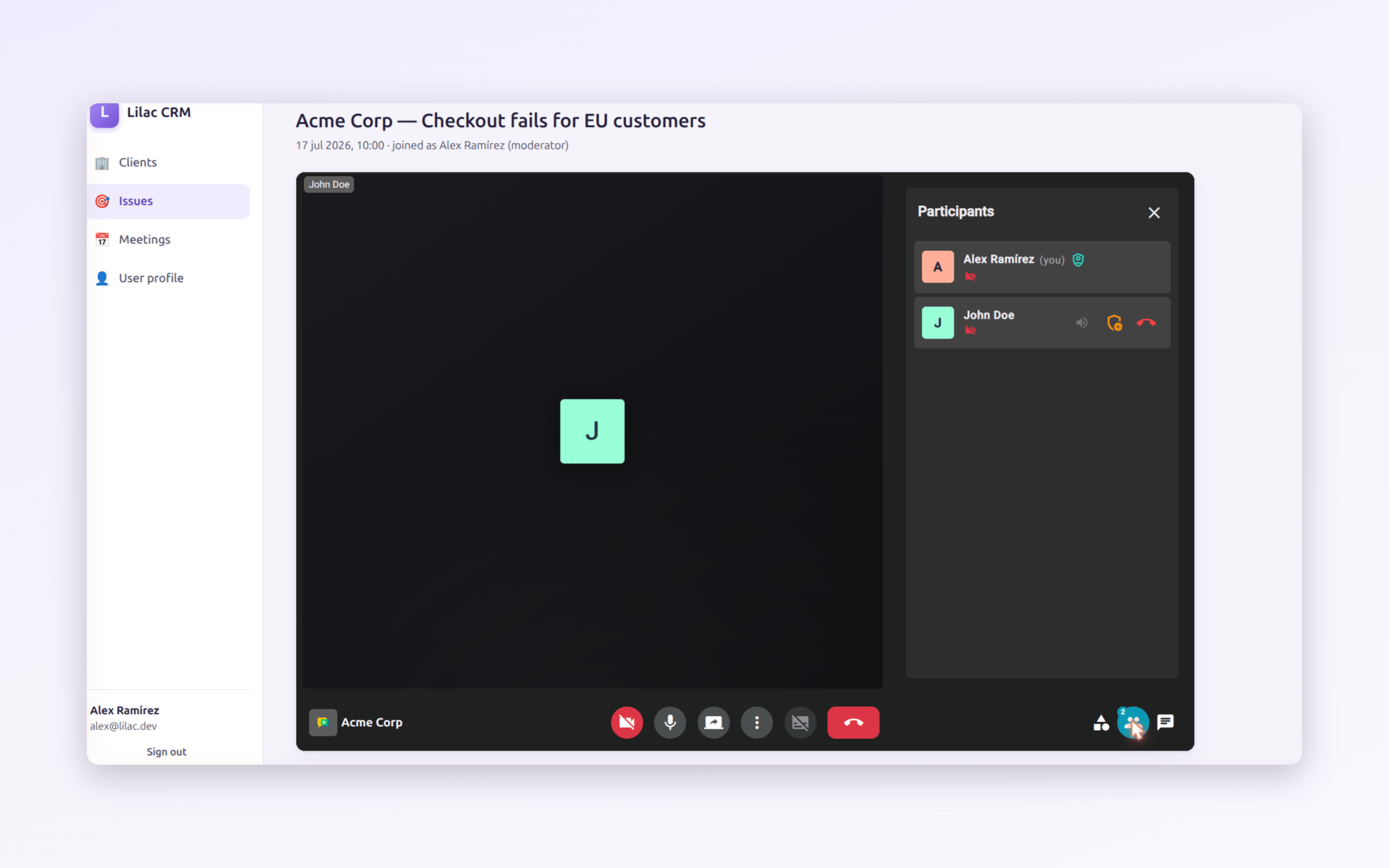
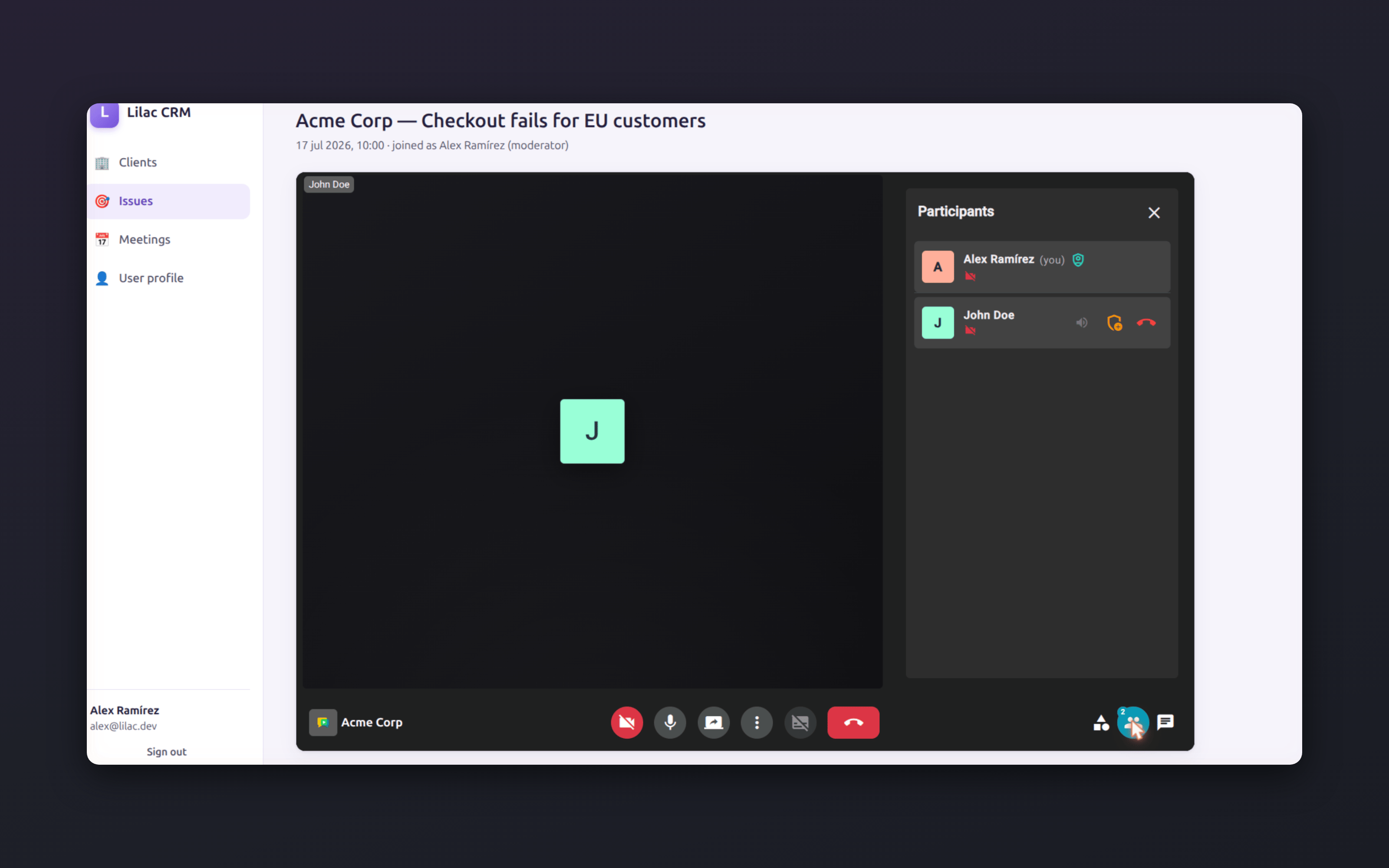
What does it take today to go from an empty folder to a working business app with video meetings embedded in it? As it turns out: one AI coding agent, one OpenVidu Meet deployment, and seven prompts.
We recently ran this experiment: build a small CRM — clients, support issues, scheduled meetings — entirely with an AI agent, then ask the agent to integrate OpenVidu Meet so that meetings happen inside the app instead of in an external tool. Every prompt we typed is preserved in the repository, so this post is a faithful, reproducible walkthrough of the whole journey — including the parts where reality pushed back.
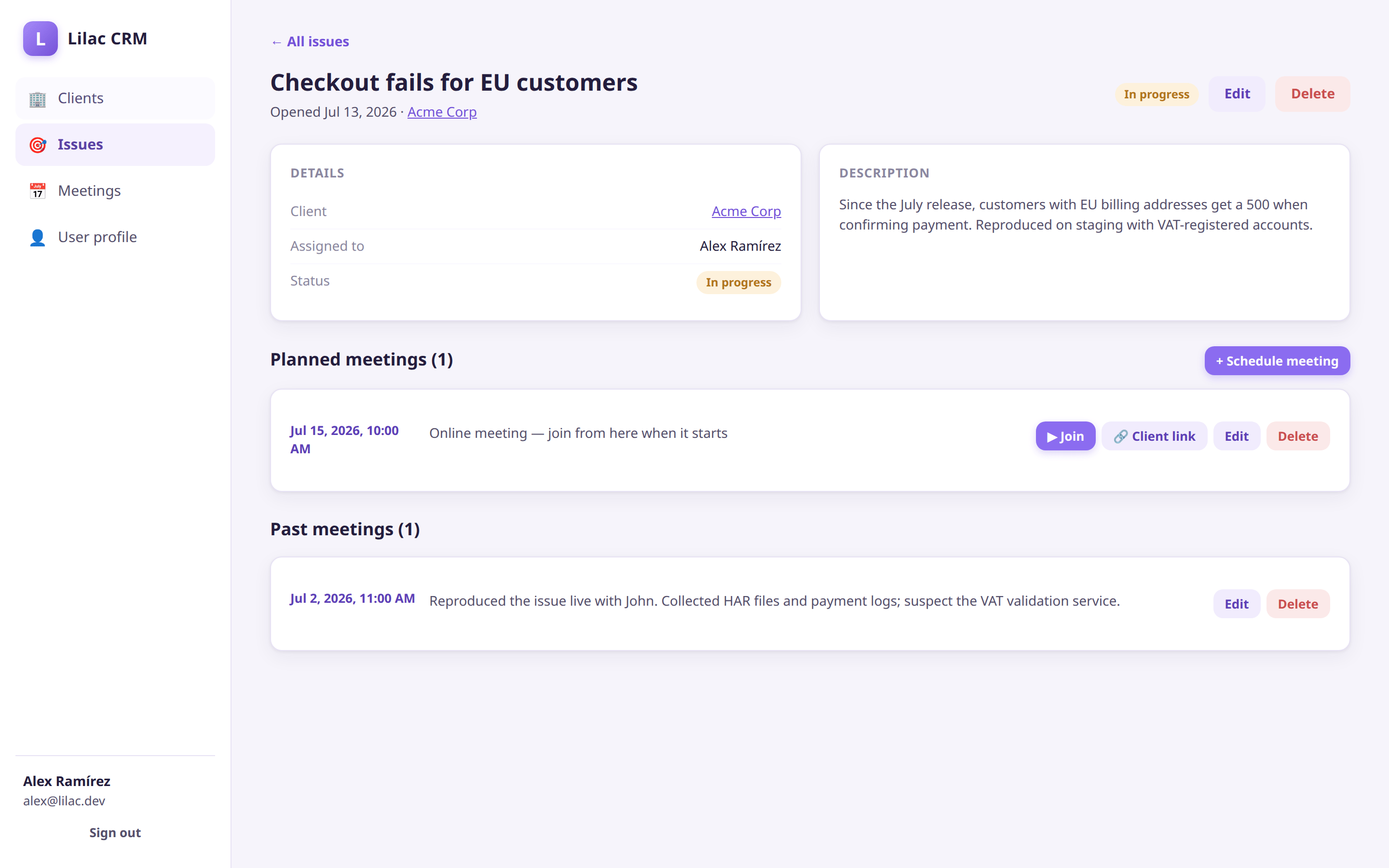
The result in 10 seconds: sign in, open the client's issue, hit Join — and the meeting happens right inside the CRM. Real capture of the running app (participant video is stock footage).
What is an AI coding agent, anyway?#
A quick level-set before the story. An AI coding agent is more than a chat window that writes snippets: it is a large language model wrapped in a loop with tools — it can read and write files in your repository, run shell commands, execute your test suite, browse documentation, and use the output of each step to decide the next one. You give it a goal; it plans, edits, runs, observes and iterates until the goal is met (or it comes back with questions).
There is a healthy ecosystem to choose from:
- Claude Code (Anthropic) — the terminal-based agent we used for this experiment.
- OpenAI Codex — OpenAI's take on the same idea.
- Antigravity (Google) — Google's agentic development platform, formerly known as Gemini CLI.
- Cursor — a full IDE with agentic capabilities built in.
- Devin (Cognition) — an autonomous software engineer, now incorporating Windsurf.
- GitHub Copilot — its agent mode brings similar loops to VS Code and github.com.
- Aider — a popular open-source, model-agnostic alternative.
They differ in ergonomics and models, but the workflow shown below applies to any of them: describe the outcome, let the agent do the legwork, verify against a real deployment.
Prompt 1: a complete CRM from a single prompt#
The experiment started with an empty directory and one long prompt (abridged here — the full text is in PROMPTS.md ):
You're an expert Node full-stack developer. Initialize an empty git repository. Then create a CRM app with a clean interface, that manages clients, issues, and meetings. The app should have a login and user management […] Issues may have planned and past meetings, which are online meetings that are managed outside the application […] Start by adding first tests to assess that the features are implemented correctly. The application should use an in-memory database, so that it can be run with a single command.
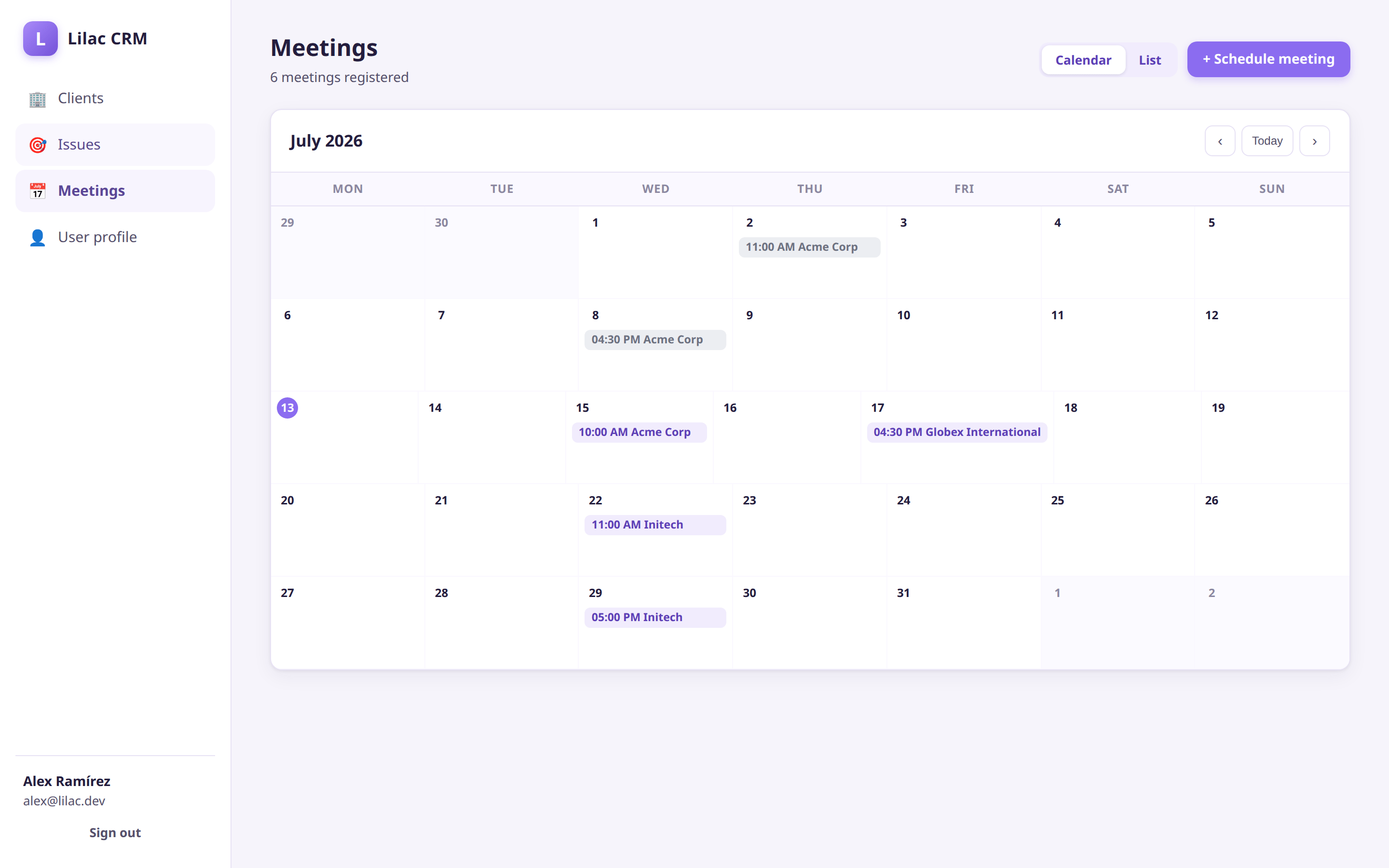
Note two things. First, we asked for tests first — that gives the agent a safety net for every later change. Second, at this point meetings were explicitly external to the app: just a date and a summary. That is exactly the situation most existing business apps are in before embedding video.
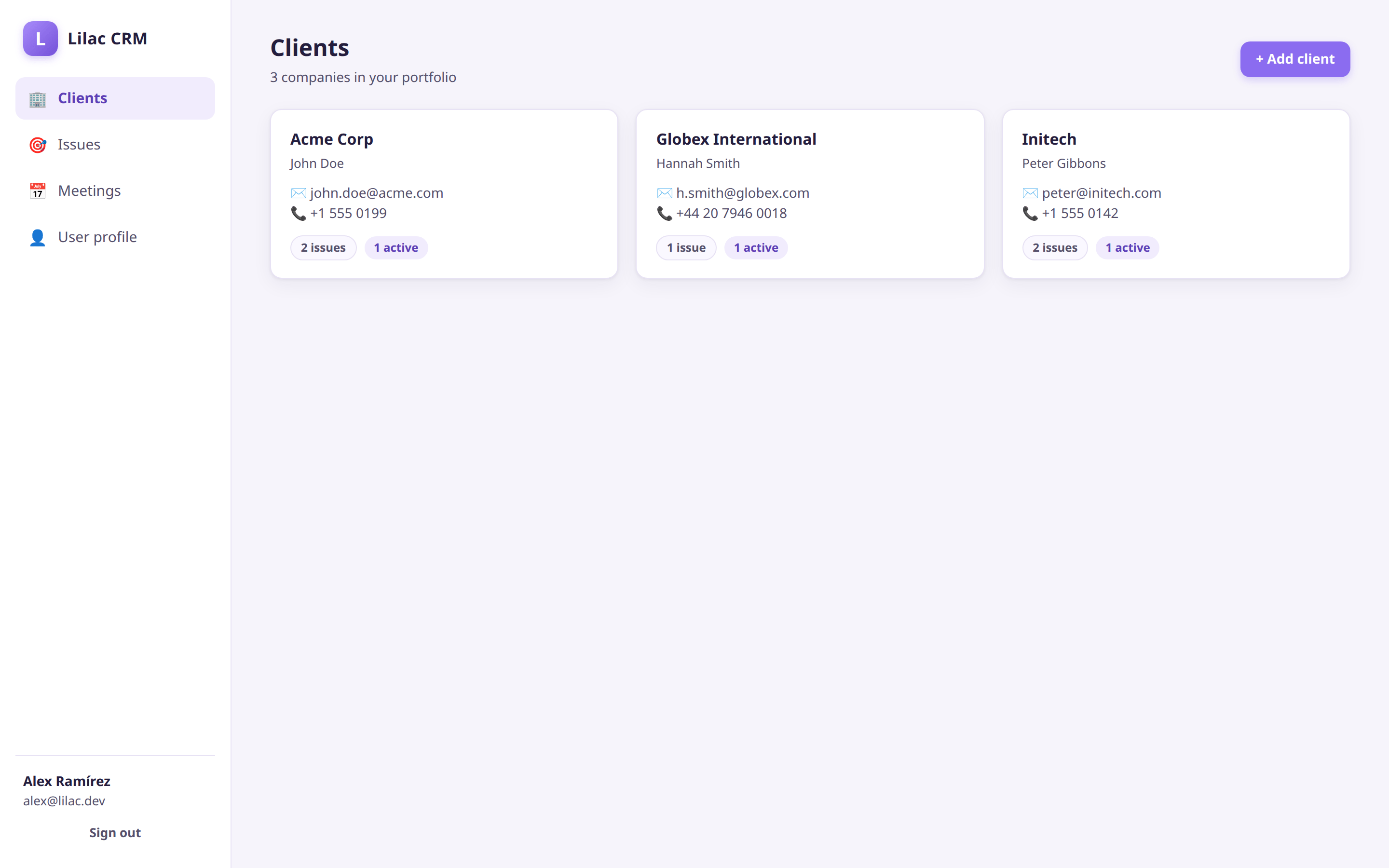
A few minutes later we had a working app: Express backend, in-memory store, session auth with self-registration, and a clean single-page UI with the requested light-purple branding — 27 passing tests, runnable with a single npm start.
Prompt 2: "make meetings happen inside the app"#
Then came the interesting part. Could the agent integrate a videoconferencing service by reading the public documentation, the same way a human developer would?
Your mission is to integrate OpenVidu 3 into this CRM application, using webcomponents. Read the OpenVidu docs in its entirety, and prepare a branch with: a) OpenVidu Meet embedded into the CRM app so that meetings happen inside the app, and not in an external tool; b) a deploy folder containing scripts to prepare a Docker image with the app and a docker compose deploying both OpenVidu and the app. […] When a meeting is scheduled, the app should create a room for this client, if it does not exist yet, adding the user and client as room members.
We pointed it at three documentation pages: the WebComponent reference, the embedded tutorials and the local deployment guide.
Your agent can now find these pages itself
Since October 2026, the OpenVidu Agent Plugin gives your coding agent the OpenVidu Meet documentation for the version you run, so you no longer need to point it at the pages yourself.
The agent read them, cloned the official tutorials for the exact API contracts, and produced the integration:
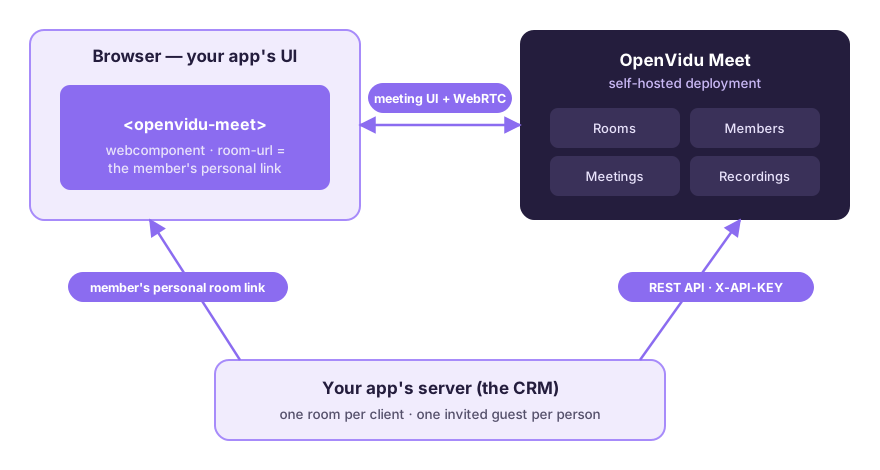
- Server side: a small service calling the OpenVidu Meet REST API — one room per client, created lazily on the first scheduled meeting and reused afterwards.
- Client side: the
<openvidu-meet>webcomponent embedded in the CRM's right panel. This is the entire frontend footprint of a video meeting:
<script src="https://your-openvidu-deployment/v1/openvidu-meet.js"></script>

<openvidu-meet room-url="https://your-openvidu-deployment/room/..."></openvidu-meet>
- Deployment: a
deploy/folder whose script merges the CRM container into the officialoci://openvidu/local-meetDocker Compose artifact, so./up.shbrings up OpenVidu and the CRM together as one project.
This is how the three pieces fit together — your app server drives the Meet REST API, and the webcomponent turns each member's personal link into the meeting UI:
Where reality pushed back#
The third prompt was simply "Run the full stack" — and this is where the experiment got honest. Live against a real deployment, room creation worked but adding members failed with API path not implemented. The agent inspected the running containers and discovered the room members API did not exist in the deployed version: the tutorials' master branch was documenting the next release. After we clarified the versioning, the agent adapted the integration to the released API in minutes — the tests, written first, made the rewrite safe.
The lesson is one every developer will recognize: documentation tells you what should work; a running deployment tells you what does. A good agent uses both.
Prompt 6: upgrading to OpenVidu Meet 3.8.0 fine-grained permissions#
The missing members API shipped days later in OpenVidu Meet 3.8.0, turning the "share a link" model into a complete access control system. One more prompt brought the CRM up to date:
OpenVidu 3.8.0 has been released, with a more advanced support for user permissions. […] the users of our CRM app should be able to add the client as an invited guest, initially with speaker permissions, but the user should be able to specify more fine-grained permissions in the UI. The user must be itself an invited guest with moderator role, created under the hood when the room for the client is created.
The agent extracted the exact contract from the 3.8.0 sources and rebuilt the integration on the room members API:
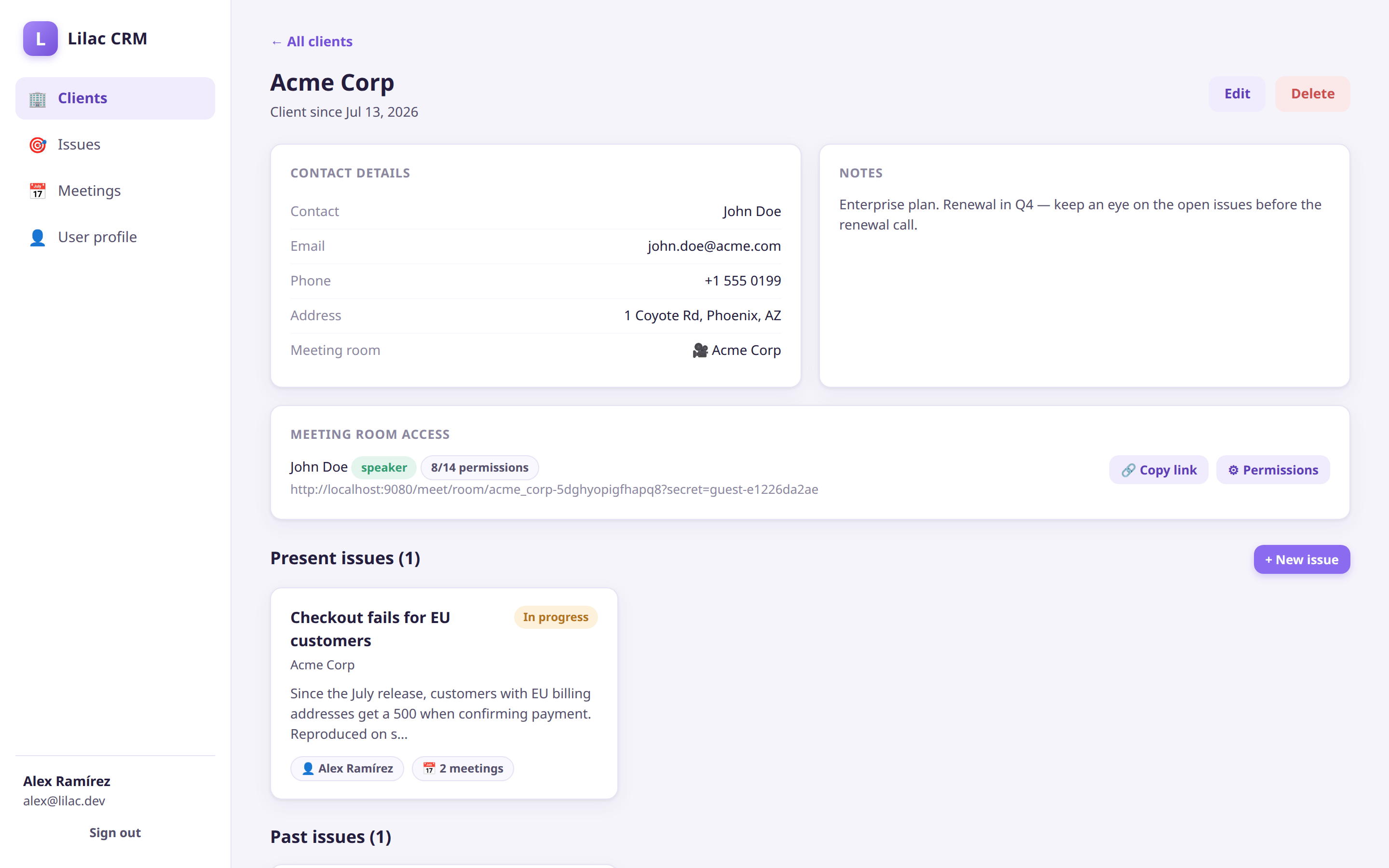
- Every CRM user who joins a meeting becomes an invited guest with moderator role — created under the hood, each with a personal access link.
- The client contact is added as an invited guest with speaker permissions and a personal, private link the CRM user can copy and send.
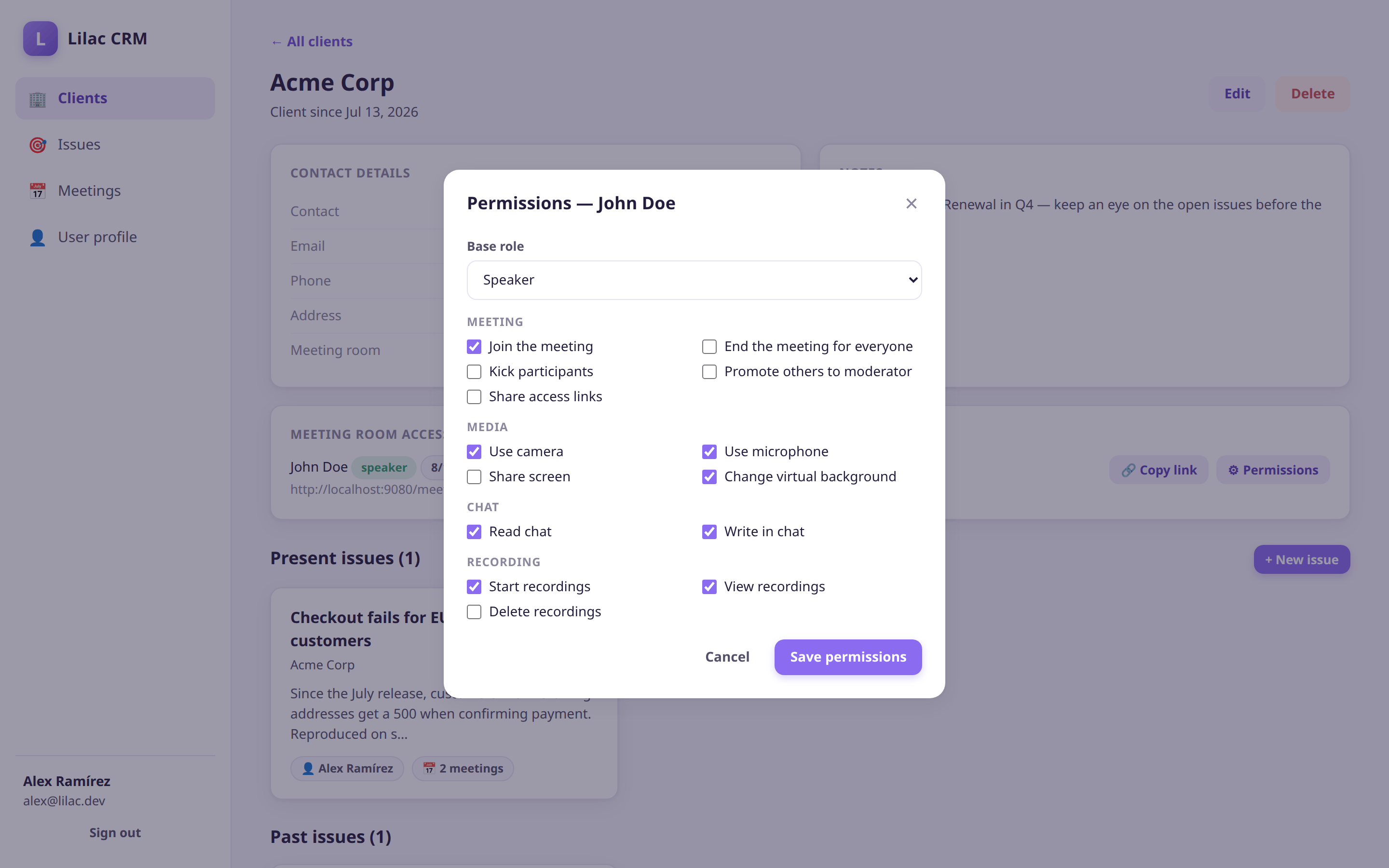
- A new panel on the client page edits the guest's base role plus OpenVidu Meet's 14 fine-grained permissions — camera, microphone, screen share, chat, recording, kick and end-meeting rights — pushed to the Meet API on save.
Once more, the final prompt was to run the full stack and verify live — which surfaced one last real-world nugget (a member's effectivePermissions must be requested explicitly via extraFields), fixed and covered by the test suite: 44 tests by the end.
What this experiment tells us#
Three takeaways stand out:
- AI agents make integrations dramatically cheaper — but only as cheap as the platform allows. The whole OpenVidu Meet integration is a couple hundred lines of server code plus a webcomponent tag. There is very little for the agent (or a human) to get wrong.
- A runnable local deployment is worth a thousand docs pages. The agent could docker-compose the entire OpenVidu stack locally in one command and verify every assumption against it. That feedback loop caught issues no amount of doc-reading would.
- Prompts are documentation. The repository keeps every prompt in
PROMPTS.md— a seven-entry build log of the whole application, more faithful than most design documents.
The complete application — CRM, integration, tests, deployment scripts and prompts — is open source: openvidu-labs/videoconference-based-crm .
Add video meetings to your app — it's the easy part#
If there is one thing this experiment proves, it is that embedding real videoconferencing into an existing app is no longer a project — it's a feature. One REST API to create rooms and members, one webcomponent to render the meeting, one compose file to run everything self-hosted. Whether the code is written by you or by your favorite AI agent, the path is the same.
Ready to add meetings to your app this afternoon?
Get started with OpenVidu Meet Embedded
And one more thing: we are working on agentic AI support for OpenVidu — stay tuned!